Setting the time on your Casio G Shock watch might seem tricky at first. But once you know the steps, it’s actually quick and simple.
If your watch shows the wrong time, you could miss important appointments or feel out of sync during your day. This guide will walk you through exactly how to set the time on your Casio G Shock, so you can get back to using your watch with confidence.
Keep reading—you’ll be surprised how easy it is to take full control of your watch’s settings.
Casio G Shock Basics
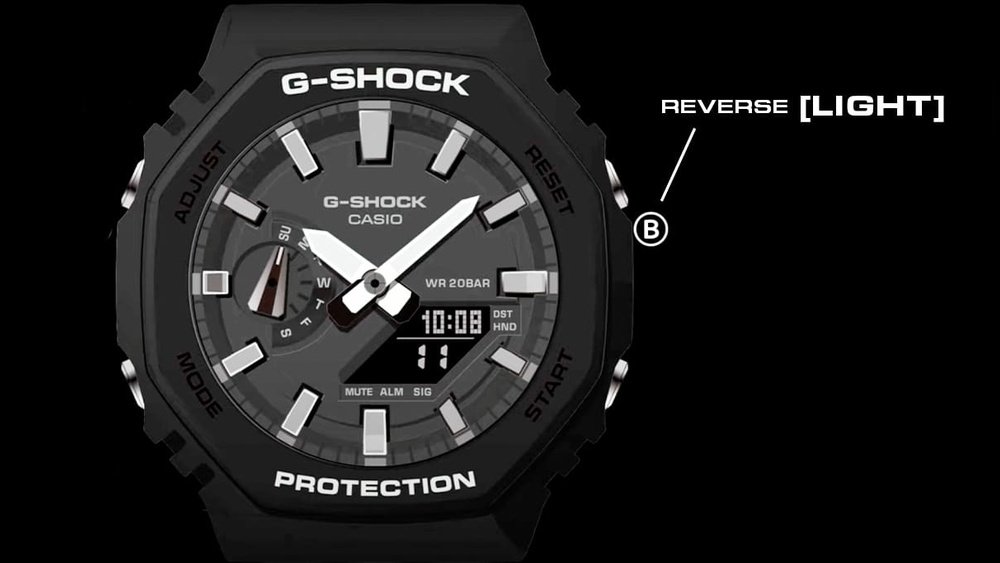
The Casio G Shock watch has several buttons around its case. Each button has a special function to help you set the time and use other features. Usually, there are four buttons named Adjust, Mode, Start/Stop, and Split/Reset.
The Adjust button lets you enter the time-setting mode. The Mode button switches between functions like time, alarm, and stopwatch. Use the Start/Stop button to change values, like hours or minutes. The Split/Reset button often moves you to the next setting.
| Button | Function |
|---|---|
| Adjust | Enter or exit time-setting mode |
| Mode | Switch between different watch modes |
| Start/Stop | Change time values or start/stop timer |
| Split/Reset | Move between settings or reset functions |
Credit: twkf.gov.tr
Preparing To Set The Time
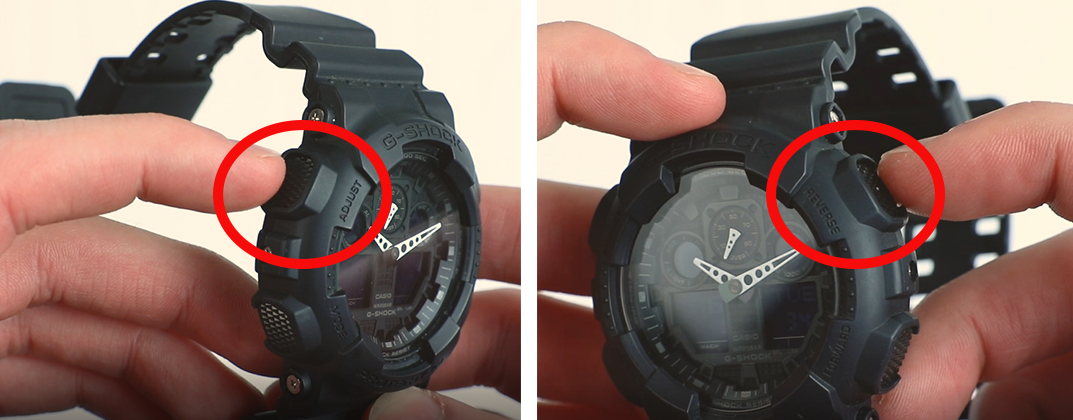
To enter time setting mode on a Casio G Shock, press and hold the Adjust button. Hold it for about 3 seconds until the seconds start flashing. This means the watch is ready to be set.
Use the Mode button to move between seconds, hours, minutes, year, month, and day. Each press moves to the next setting. Use the Forward or Reverse buttons to change the numbers.
Selecting the 12-hour or 24-hour format is easy. While in the hour setting, press the Forward button to switch between AM/PM (12-hour) and military time (24-hour). The watch will show “A” or “P” for AM/PM or no letter for 24-hour format.
Adjusting The Time
Press the Adjust button until the hour digits start to flash. Use the Forward or Reverse buttons to change the hours. Press the Mode button to move to minutes and set them the same way. Press Adjust again to save the time.
To reset the seconds, press the Adjust button until seconds flash. Press the Forward button to reset to zero. Press Adjust to confirm.
To set the date and day, press Adjust until the year starts blinking. Use the Forward or Reverse buttons to change the year. Press Mode to move to month and date, adjusting each as needed. Press Adjust to save all settings.
Additional Time Settings
To set World Time on your Casio G Shock, first press the Mode button until you reach the World Time screen. Use the Forward and Reverse buttons to scroll through cities. Choose the city you want to see the time for. The watch will show the current time for that city instantly.
Activating Daylight Saving Time (DST) is easy. Hold down the Adjust button while in World Time mode. Look for the DST setting. Use the buttons to turn DST On or Off. Press Adjust again to save.
Daylight Saving Time changes the clock by one hour. Turn it on to match local time in many regions.
Tips For Accurate Timekeeping
Syncing your Casio G Shock with atomic time keeps the watch very accurate. Atomic clocks use radio signals to set the exact time. Many G Shock models receive these signals automatically at night. This helps the watch correct any small time errors.
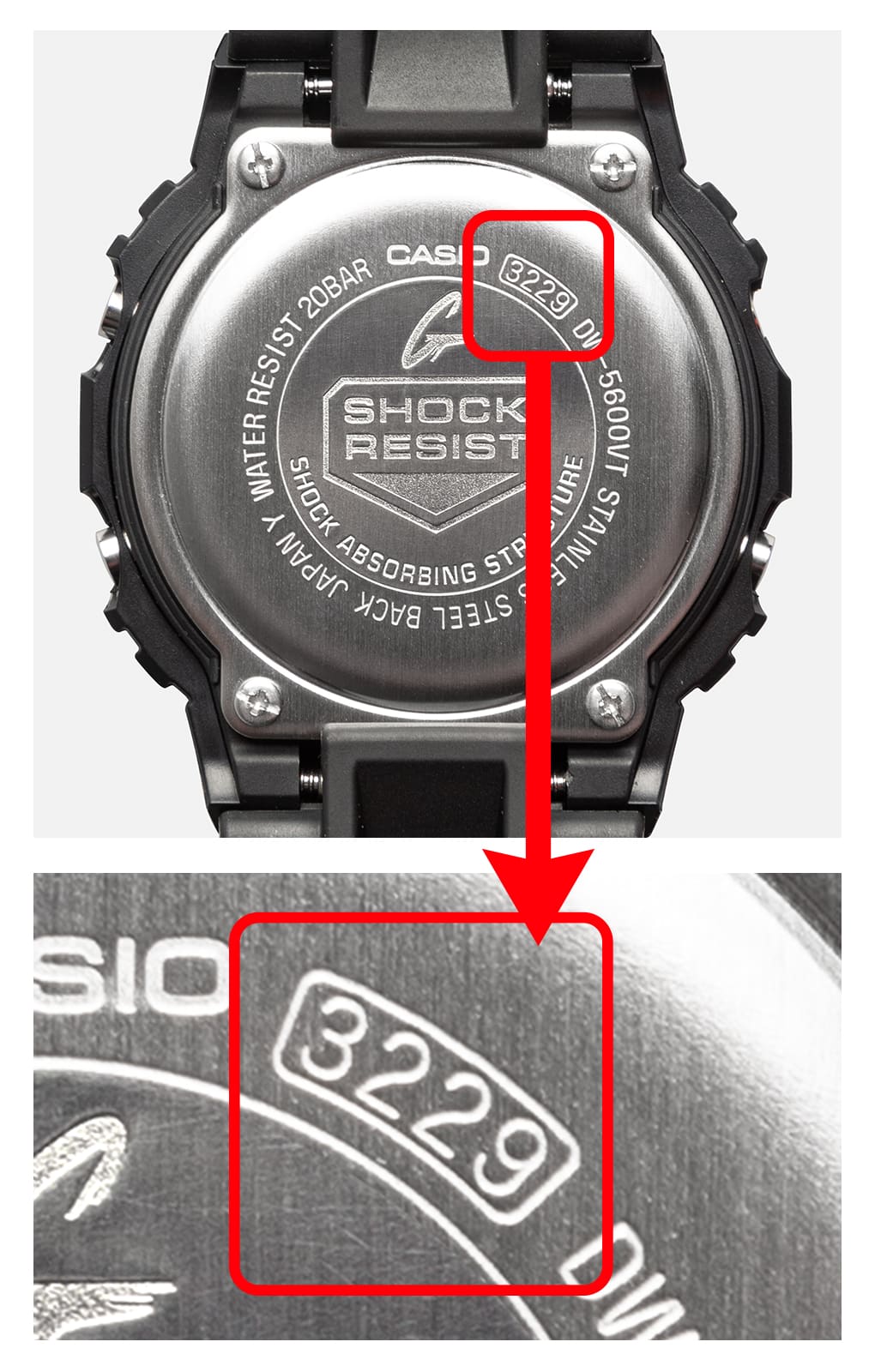
Battery life is also important for accurate timekeeping. A weak battery can cause the watch to lose time or stop receiving signals. Replace the battery as soon as the low battery indicator appears. Use only batteries recommended by Casio for best results.
Credit: gshock.casio.com
Troubleshooting Common Issues
Watch not responding often means the buttons are stuck or dirty. Gently clean around the buttons with a dry cloth. Press each button several times to free them. A soft reset can help; hold the adjust button for 10 seconds until the watch beeps. This resets the watch without losing settings.
Incorrect time display may occur if the watch is in the wrong time zone. Press the mode button until the time screen appears. Use the adjust button to select the city code. Scroll through the list to find your city or a nearby one in the same time zone. Confirm with the adjust button. Check if daylight saving time (DST) is on or off; toggle using the light or start/stop button.

Credit: www.youtube.com
Frequently Asked Questions
How Do I Set The Time On My Casio G Shock?
Press and hold the Adjust button until the display flashes. Use the Mode button to select the time setting. Adjust hours, minutes, and seconds with the Forward or Reverse buttons. Press Adjust again to save and exit.
Can I Set 12-hour Or 24-hour Time Format?
Yes, you can toggle between 12-hour and 24-hour formats. In the time setting mode, press the Forward button to switch formats. Confirm your choice by pressing the Adjust button to save the setting.
How Do I Adjust Daylight Saving Time On G Shock?
Enter the time setting mode by holding Adjust. Use the Mode button to find DST settings. Toggle DST on or off with the Forward button. Save changes by pressing Adjust again.
What If My Casio G Shock Time Is Incorrect?
Reset the watch by entering time setting mode. Manually adjust hours, minutes, and date. Check your time zone settings if available. Save changes to ensure accurate time display.
Conclusion
Setting the time on your Casio G-Shock is simple and quick. Just follow the steps carefully and take your time. You will have the correct time in no time. This helps you stay on schedule every day. A properly set watch is always useful and reliable.
Keep your G-Shock ready for any activity by checking its time now and then. Enjoy your watch and its many features with confidence.