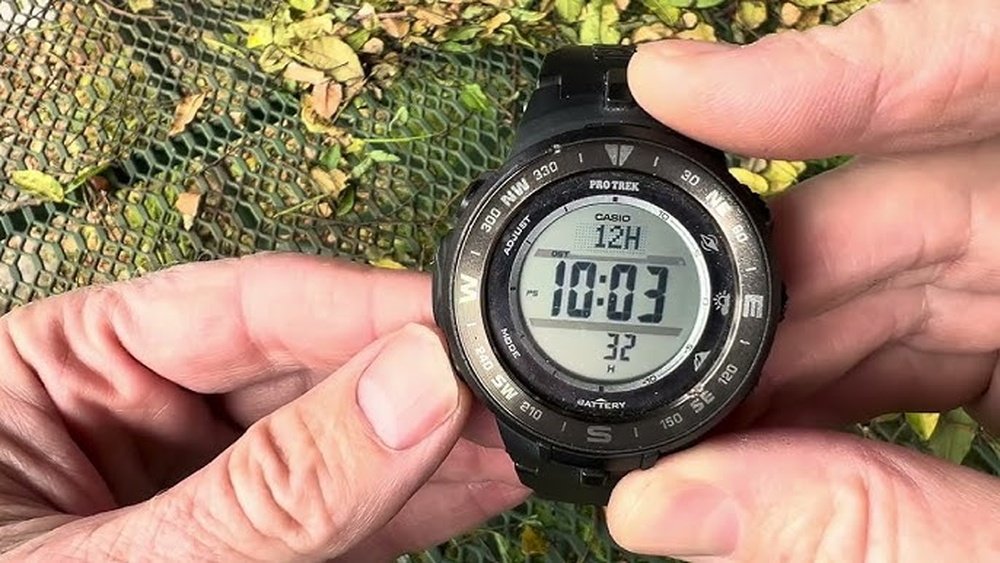
Setting up your Casio Pro Trek watch might seem tricky at first, but it doesn’t have to be. If you want to make the most of your watch’s features—like its compass, altimeter, and barometer—you need to set it up correctly.
This guide will walk you through each step clearly and simply. By the end, you’ll feel confident using your watch and ready to tackle any adventure with ease. Keep reading, and you’ll discover how easy it is to get your Casio Pro Trek working just right for you.
Credit: support.casio.com
Getting To Know Your Casio Pro Trek
The Casio Pro Trek watch has many helpful features. It shows time, date, and day on its screen. There are icons for alarms, battery, and signal. These help you understand what the watch is doing.
The watch has several buttons. Each button has a special job. For example, some buttons change the mode, set the time, or turn on the light. Knowing the button layout helps you use the watch easily.
| Button | Function |
|---|---|
| Mode | Change between time, alarm, and stopwatch |
| Adjust | Set time and other settings |
| Light | Turn on backlight for night use |
| Start/Stop | Start or stop timer and stopwatch |

Credit: www.youtube.com
Preparing For Setup
Before starting, check the battery level of your Casio Pro Trek watch. A fully charged watch works best. Use the solar panel under sunlight or a strong light source to charge it. Avoid charging under dim light to save time.
Resetting the watch clears any old settings. Hold down the reset button for a few seconds. This action restores the watch to its factory defaults. It helps fix errors and prepares the watch for new setup steps.
Setting The Time And Date
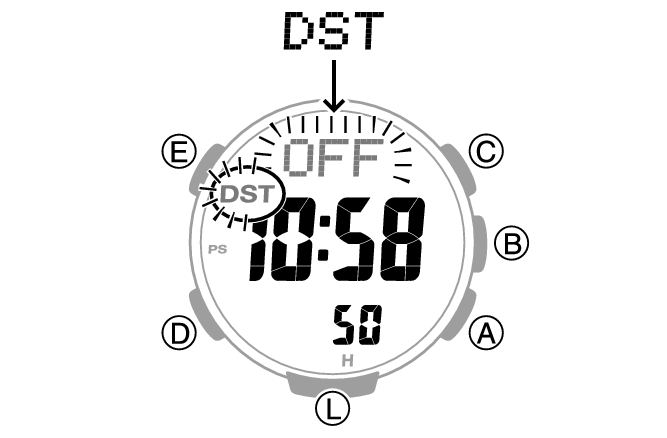
To enter the time setting mode, press and hold the Adjust button until the seconds start flashing. This means you can now change the time.
Use the Mode button to move between seconds, hours, and minutes. Press the Forward or Reverse buttons to change the numbers. When setting hours, watch for the AM/PM indicator or 24-hour format.
For setting the date, continue pressing the Mode button until the year, month, or day flashes. Adjust each using the Forward or Reverse buttons. Press Adjust to save all changes and exit the setting mode.
Credit: support.casio.com
Configuring Additional Functions
To set alarms on your Casio Pro Trek, press the mode button until the alarm screen shows. Use the adjust button to enter alarm setting mode. Change the hour and minutes with the forward and reverse buttons. Confirm with the adjust button.
Using the stopwatch is easy. Press the mode button until the stopwatch screen appears. Start and stop it with the start/stop button. Reset the time by pressing the reset button when the stopwatch is stopped.
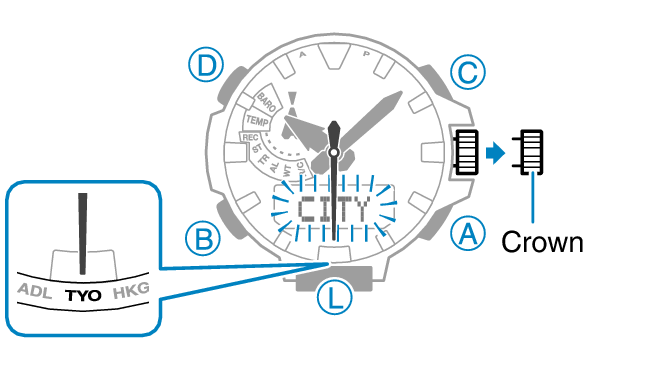
Adjusting the world time allows you to see the time in other cities. Press the mode button until the world time screen appears. Use the forward and reverse buttons to select the city code. The watch shows the local time of that city.
Calibrating Sensors
Compass calibration helps your watch point north accurately. To calibrate, hold the watch flat and rotate it slowly. Do this until the watch signals completion. Avoid metal or electronic devices nearby to prevent interference.
Barometer and altimeter setup require setting the correct altitude or pressure reference. Enter your current altitude or sea-level pressure manually for best results. This helps the watch show accurate weather and altitude readings.
Temperature sensor check is simple but important. Wear the watch for a while off your wrist to avoid body heat affecting readings. Let it rest in a shaded area for about 20 minutes before taking a temperature reading.
Tips For Maintaining Accuracy
Regular calibration keeps your Casio Pro Trek watch accurate. Set the time often using a trusted source like a phone or radio signal. This helps avoid any time drift and keeps the watch working well.
Battery care is important. Replace the battery as soon as it runs low. A weak battery can cause wrong time or stop the watch. Always use the correct battery type for your model.
Avoiding magnetic interference helps maintain accuracy. Keep the watch away from strong magnets, speakers, or electronic devices. Magnets can affect the watch’s sensors and make the time wrong.
Frequently Asked Questions
How Do I Set Time On A Casio Pro Trek Watch?
Press and hold the adjust button until the seconds flash. Use the mode button to select hours or minutes. Use the forward and reverse buttons to set the correct time. Press adjust again to save and exit.
How Can I Calibrate The Compass On Casio Pro Trek?
Enter compass mode by pressing the dedicated button. Rotate the watch slowly in a figure-eight motion. Follow on-screen prompts to complete calibration. This ensures accurate compass readings during outdoor activities.
What Is The Process To Set The Altitude On Casio Pro Trek?
Access the altimeter mode by pressing the mode button. Hold the adjust button until the altitude digits flash. Use the forward and reverse buttons to input the correct altitude. Press adjust to save the setting.
How To Change The Date On A Casio Pro Trek Watch?
Hold the adjust button until the seconds flash. Press the mode button to switch to date settings. Use forward and reverse buttons to adjust day, month, and year. Press adjust to confirm the new date.
Conclusion
Setting your Casio Pro Trek watch is simple with clear steps. Take your time and follow each part carefully. This helps avoid mistakes and saves effort. Once set, your watch will show accurate time and useful features. Enjoy outdoor adventures with confidence and ease.
Keep the manual handy for quick reference anytime. Practice a few times to get comfortable with the process. Your watch works best when set right. Stay prepared and enjoy every moment outdoors.