
Are you struggling to switch your Timex watch from military time back to regular time? You’re not alone.
Military time can be confusing if you’re used to the 12-hour clock, and having your watch stuck in that mode can make reading the time frustrating. But don’t worry—changing your Timex watch to regular time is easier than you think.
You’ll discover simple, step-by-step instructions to get your watch showing the time the way you want it. Keep reading, and you’ll be back to telling time the way you prefer in no time.
Identify Your Timex Watch Model
Timex watches have different models. Each model may have a unique way to change settings. Find the model number on the back of your watch. It usually looks like letters and numbers.
Check your watch’s manual if you still have it. Manuals often show steps to switch time formats. You can also visit the Timex website. Enter your model number to get help or manuals.
Knowing your model helps you find the right instructions. Some watches have buttons, others use a crown to change time. Identifying the model first saves time and effort.

Credit: www.youtube.com
Locate The Mode And Set Buttons
Find the Mode button on the side of your Timex watch. It is usually the bottom left button. The Set button is often on the top left or top right. These two buttons help you change settings on the watch.
Press the Mode button to cycle through options like time, alarm, and stopwatch. Stop when the time display is on.
Use the Set button to enter time setting mode. You can then change the hour format.
Keep an eye on the screen. It will show you if the watch is in military (24-hour) or standard (12-hour) time.
Enter Time Setting Mode
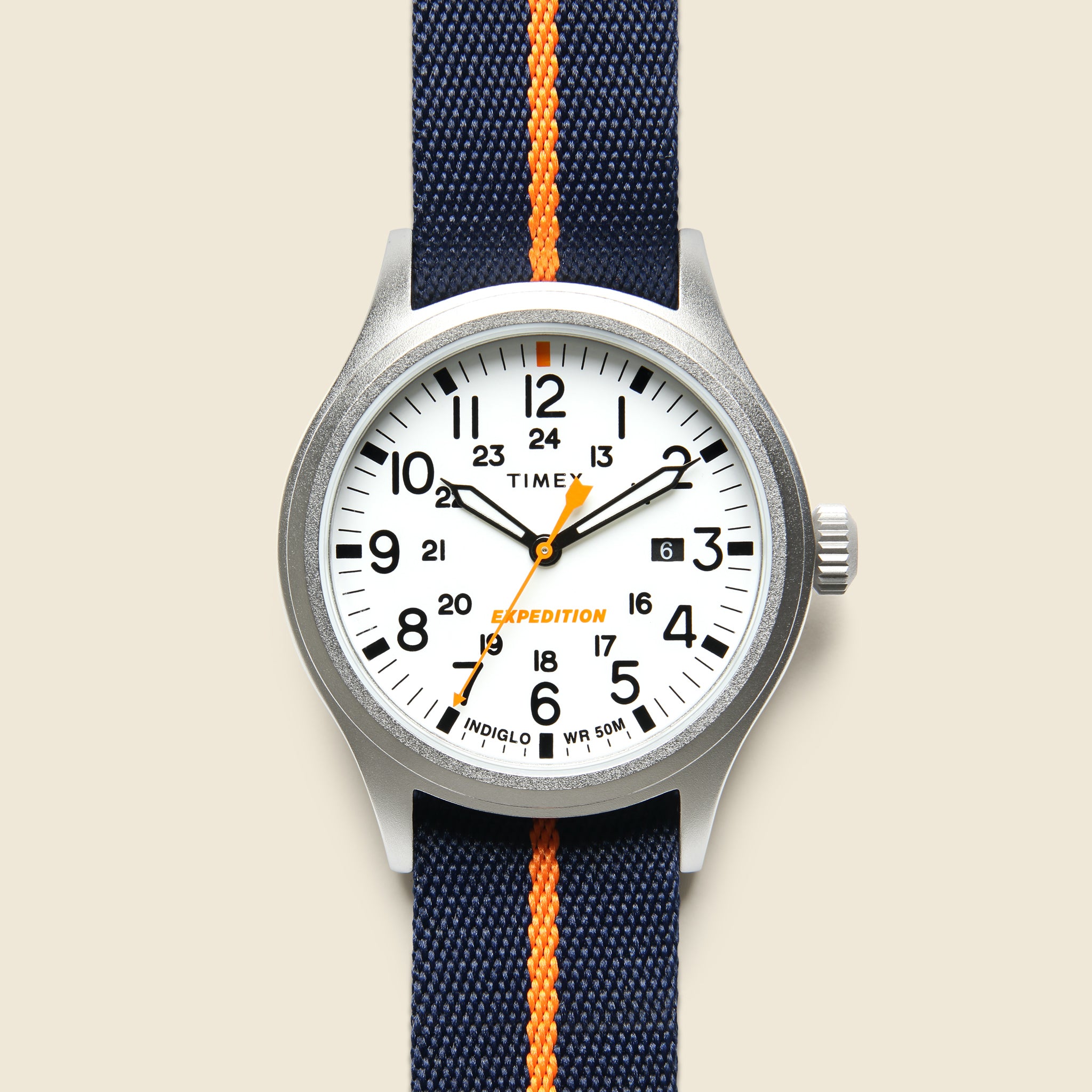
Press and hold the SET button on your Timex watch. Keep holding until the numbers on the display start to blink. This means the watch is now in time setting mode. Use the START/STOP button to change the hour digits. Use the SPLIT/RESET button to change the minute digits. Press the SET button again to move between hour, minute, and other settings. When you reach the hour setting, you can switch between 12-hour and 24-hour (military) formats. Make sure to save your changes by pressing the SET button until the blinking stops. Your watch will now show time in the format you want.
Credit: stagprovisions.com
Switch From Military To Standard Time
To switch your Timex watch from military (24-hour) time to standard (12-hour) time, start by pressing the Mode button until the time display flashes. Then, press the Start/Stop or Set/Adjust button to find the 12-hour or 24-hour option. Use the same button to toggle between these two settings.
Once you see the time format you want, press the Mode button again to save your choice. Your watch will now show the time in standard 12-hour format with AM or PM indicated.
This process works for most Timex digital watches, but steps might differ slightly on some models. Check your watch manual if these steps don’t work.
Save Your Settings
After changing the time format on your Timex watch, it is important to save your settings. Press the set button or mode button until the watch stops flashing. This action locks in your changes and prevents accidental resets.
Failing to save means the watch may revert to military time. Always double-check the screen to see if the time displays correctly in 12-hour format. Some models require you to hold the button for a few seconds.
Remember, saving settings is the final step after adjusting your watch. This step ensures your preferred time format stays active.

Credit: timex.com
Troubleshooting Common Issues
Many Timex watches show military time by default. To change it, press the Mode button until the time screen appears. Then, hold the Set button until the numbers blink. Use the Start/Stop button to switch between 12-hour and 24-hour formats. Press Set again to save changes.
Sometimes the watch may not respond. Try resetting it by removing the battery for a few seconds. Put it back and repeat the steps carefully.
If the watch still shows the wrong time format, check the manual for your specific model. Some Timex watches have different button layouts or settings.
Tips For Maintaining Your Timex Watch
Keep your Timex watch clean by wiping it with a soft cloth. Avoid using water on leather straps to prevent damage. Store the watch in a dry place to stop moisture from harming it. Change the battery as soon as the watch shows signs of slowing down. Set the time carefully to avoid damaging the buttons.
For metal bands, clean with a soft brush and mild soap. Dry the band completely before wearing it again. Avoid dropping the watch or exposing it to strong shocks. Regularly check the watch for scratches or cracks on the glass. Have your watch serviced by a professional every few years.
Frequently Asked Questions
How Do I Switch Timex Watch From Military Time?
Press the “Mode” button until the time display appears. Hold the “Set” button until the hour flashes. Press the “Start/Stop” button to toggle between 12-hour and 24-hour formats. Press “Set” to confirm your choice.
Can I Change Timex Watch Time Format Without Manual?
Yes, many Timex watches allow toggling time format through button combinations. Check your model’s instructions for exact steps to switch from military to standard time.
Why Is My Timex Watch Stuck On Military Time?
Your watch might be in 24-hour mode. Use the “Set” and “Start/Stop” buttons to toggle time format. If it remains stuck, try resetting the watch or consult the manual.
Is Switching Off Military Time On Timex Reversible?
Yes, you can switch back anytime by following the same steps used to enable or disable military time. The setting is flexible and user-controlled.
Conclusion
Changing your Timex watch from military time is quick and simple. Just follow the steps carefully to switch to standard time. This helps you read the time more easily every day. Keep your watch settings clear so you avoid any confusion.
Now, you can wear your Timex with confidence and comfort. Try it yourself and enjoy the change. Easy and effective!