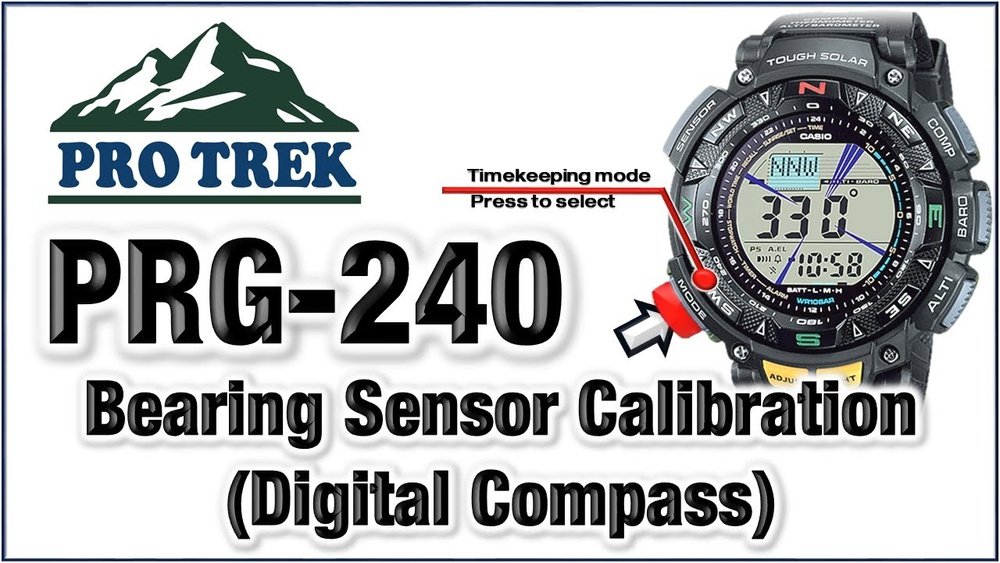
If you own a Casio Pro Trek watch, you know how valuable its compass feature can be for your outdoor adventures. But to get the most accurate readings, you need to calibrate your compass correctly.
Without proper calibration, your watch could lead you off course when you need it most. In this guide, you’ll learn simple, step-by-step instructions to calibrate your Casio Pro Trek compass quickly and easily. By the end, you’ll feel confident trusting your watch to guide you wherever you go.
Keep reading to make sure your compass is always ready when you are.
Credit: support.casio.com
Casio Pro Trek Compass Features
The Casio Pro Trek Compass offers several key functions that help users find direction easily. It shows true north using a built-in sensor. The compass adjusts for magnetic declination, making readings more accurate. It also has a bearing memory to save your direction. The display is clear and easy to read, even in low light.
Accurate calibration is very important. It ensures the compass points to the correct direction. Without calibration, the compass can give wrong readings. This may lead to getting lost or taking the wrong path. Calibrating regularly keeps the compass working well. It also helps you trust your device during outdoor activities like hiking or camping.
When To Calibrate Your Compass
Signs calibration is needed include compass pointing in the wrong direction or fluctuating readings. If the compass needle spins or does not settle, calibration is necessary. Sudden changes in magnetic readings during use also indicate recalibration is required.
Environmental factors such as nearby metal objects, electronic devices, or strong magnetic fields can affect compass accuracy. Moving to a new location or altitude change can cause the compass to need recalibration. Also, dropping or bumping the watch may impact its sensor.
Preparation Before Calibration
Choose a flat, open area for calibration. Avoid places near metal objects or electrical devices. These can affect compass accuracy. A park or backyard works well.
Gather these tools: Casio Pro Trek watch, a flat surface, and a clear sky view. Make sure the watch battery is fully charged. This helps the compass work properly.

Credit: www.youtube.com
Step-by-step Calibration Process
Start by pressing the mode button on your Casio Pro Trek watch. This will switch the display to Compass Mode. The compass needle appears on the screen.
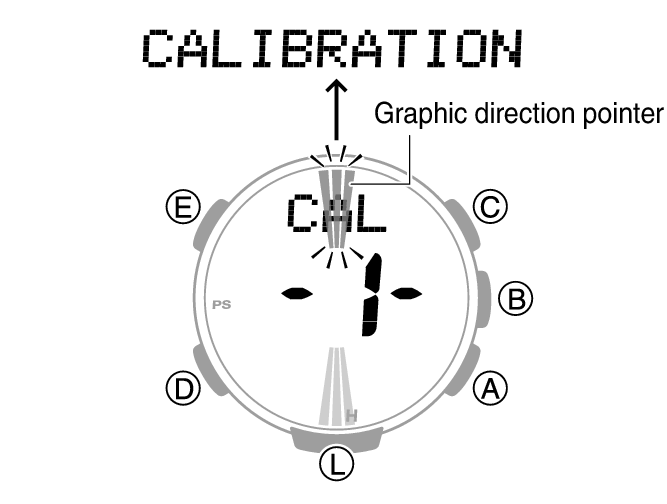
Next, hold the watch flat and steady. Press and hold the adjust button until the display shows “CAL.” This means the watch is ready to start calibration.
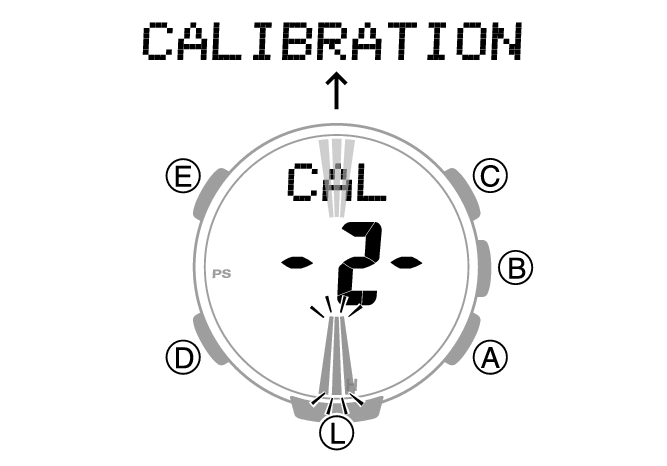
Now, slowly rotate the watch one full circle in a horizontal plane. Keep the watch level. You must complete the rotation without stopping.
When the rotation finishes, the watch will stop blinking. This shows the calibration is complete. Your compass is now ready for use.
Troubleshooting Calibration Issues
Resetting the compass helps fix many calibration problems. First, turn off the watch and wait 10 seconds. Then, press and hold the mode button to restart it. This clears any wrong data stored in memory.
Next, make sure the watch is away from metal objects or magnets. These can cause the compass to show wrong directions. Hold the watch flat and steady while calibrating.
Try calibrating again by moving the watch in a figure-eight motion. This helps the sensor get the correct reading. If the problem continues, check the battery. Low power can cause errors.
Lastly, consult the user manual for your Casio Pro Trek model. Some models have specific reset steps. Following these can solve tricky issues quickly.
Maintaining Compass Accuracy
Keep your Casio Pro Trek compass working well by calibrating it regularly. Calibration helps the compass show accurate directions. Use a flat, open area free from metal or electronic devices to avoid errors.
Turn the watch slowly in a full circle to reset the sensor. Repeat this process at least once a month or after traveling long distances. This keeps the compass reliable.
Avoid magnetic interference. Stay away from magnets, metal objects, and electronic gadgets while calibrating. These can cause the compass to give wrong readings. Also, do not calibrate near power lines or cars.
Following these tips will help keep your compass precise and ready for use anytime.
Credit: support.casio.com
Frequently Asked Questions
How Do I Start Calibrating A Casio Pro Trek Compass?
To start, enter compass mode by pressing the compass button. Hold the watch flat and rotate it slowly. Follow on-screen prompts to complete calibration accurately.
Why Is Compass Calibration Important For Casio Pro Trek?
Calibration ensures accurate directional readings. Magnetic interference can cause errors. Regular calibration keeps the compass reliable for outdoor navigation.
How Often Should I Calibrate My Casio Pro Trek Compass?
Calibrate the compass after exposure to strong magnetic fields or every few months. Frequent calibration maintains accuracy for your adventures.
What Causes Calibration Errors In Casio Pro Trek Compass?
Nearby metal objects, magnets, or electronic devices can disrupt calibration. Avoid these during calibration to prevent inaccurate compass readings.
Conclusion
Calibrating your Casio Pro Trek compass keeps it accurate and reliable. Follow the steps carefully for best results. Regular calibration helps avoid wrong directions outdoors. Take your time and do it in a clear area. A well-calibrated compass makes hiking and exploring safer.
Keep your device steady during the process. Check calibration often, especially after traveling far. Enjoy your outdoor adventures with confidence and ease. Simple care goes a long way for your compass.