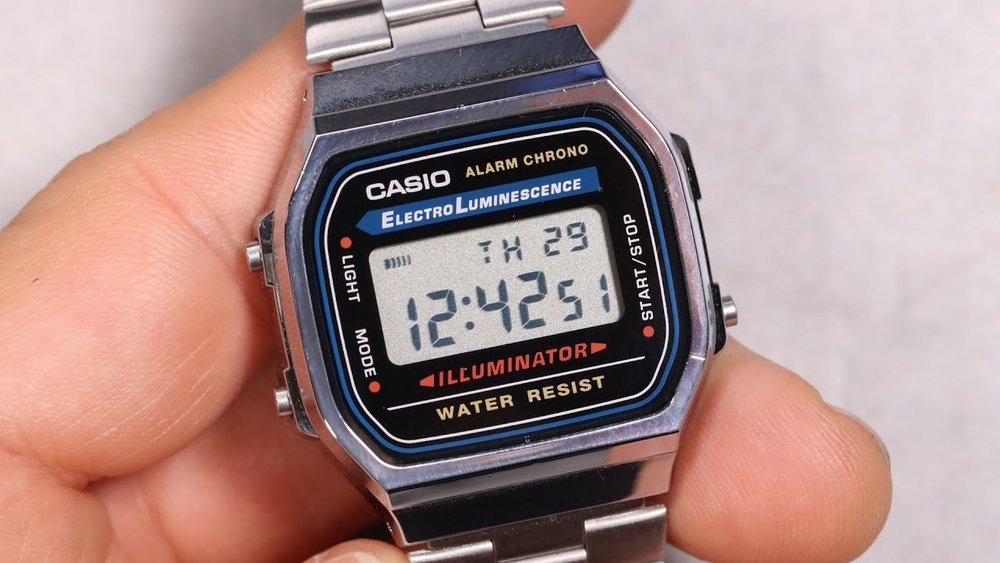
Setting an alarm on your Casio A168 watch might seem tricky at first, but it’s actually quick and easy once you know the steps. Imagine never missing an important meeting or waking up late again because your alarm is perfectly set.
In this guide, you’ll learn exactly how to set your Casio A168 alarm in just a few simple moves. Keep reading, and you’ll have your watch working for you like a pro in no time!
Casio A168 Alarm Features
The Casio A168 watch offers a few alarm types. It has a daily alarm that rings every day at the set time. There is also a hourly time signal that beeps at the start of every hour. These options help you stay on schedule easily.
The alarm sound is a simple beep. It is loud enough to wake you up or remind you. The sound lasts for about 20 seconds.
The snooze function lets the alarm ring again after a few minutes. Pressing any button stops the sound temporarily. After about 5 minutes, the alarm sounds again. This is useful if you want a little more rest before getting up.
Preparing Your Casio A168
The Casio A168 has three main buttons: Mode, Light, and Adjust. The Mode button switches between time, alarm, and stopwatch modes. The Adjust button helps to set or change the time and alarm. The Light button turns on the backlight for better visibility.
To set the time correctly, press the Mode button until the time screen shows. Hold the Adjust button until the seconds start flashing. Use the Mode button to move between seconds, minutes, and hours. Press the Light button to change the numbers. Press Adjust again to save the settings.
Step-by-step Alarm Setup
Press the mode button on the watch until you see the alarm screen. The screen shows “AL” or a bell icon.
Press the adjust button to start setting the alarm. The hour digits will start blinking.
Use the light or start/stop button to change the hour. Press it repeatedly to reach the desired hour.
Press the mode button again to move to minutes. The minutes will blink now.
Change the minutes using the same button you used for hours. Set the exact time you want the alarm to ring.
Press the adjust button once more to save the alarm time. The digits stop blinking, confirming the alarm is set.
To turn the alarm on or off, press the start/stop button while in alarm mode. A bell icon shows when the alarm is active.
Activating And Deactivating Alarm
To turn the alarm on, press the button labeled “Alarm” until the alarm time shows. Then press the “Light” or “Start/Stop” button to activate the alarm. A small bell icon will appear on the screen, showing the alarm is set. The hourly chime can also be turned on by pressing the same button again. This makes a beep every hour.
Turning the alarm off is simple. Press the “Alarm” button until the alarm time displays. Then press the “Light” or “Start/Stop” button to deactivate. The bell icon will disappear, meaning the alarm is off. The hourly chime can be turned off the same way.
Using Multiple Alarms
Setting the daily alarm on the Casio A168 is simple. Press the mode button until the alarm screen appears. Use the adjust button to start setting the time. Press the forward button to change the hour and minutes. Press adjust again to save the alarm time. The alarm will sound every day at this set time.
The hourly time signal can also be turned on or off. This signal beeps at the top of every hour. Press the mode button until the alarm screen shows. Press the forward button to toggle the hourly signal on or off. Look for the small bell or wave icon on the screen to confirm it is active.
Credit: www.reddit.com
Troubleshooting Alarm Issues
Alarm not sounding on the Casio A168 could mean the alarm is not set right. Check if the alarm icon shows on the screen. If it is off, press the alarm button until the icon appears. Make sure the volume is not muted. Sometimes the watch is in silent mode, so press buttons to toggle sound on.
Buttons not responding may happen if the watch needs a reset. Try pressing the reset button with a small tool. If that does not work, the battery might be low and need replacement. A low battery can cause the watch to stop working properly.
Tips For Effective Alarm Use
Battery life can be affected by how often the alarm sounds. Setting the alarm to ring only when needed helps save power. Avoid leaving the alarm on all day if not required. The Casio A168 uses a small battery that lasts a long time with careful use.
Cleaning the watch regularly keeps it working well. Use a soft cloth to wipe dirt and sweat from the case and band. Avoid using water or strong chemicals that can harm the watch. Store the watch in a dry place when not worn.

Credit: www.reddit.com

Credit: www.youtube.com
Frequently Asked Questions
How Do I Activate The Alarm On Casio A168?
Press the “Mode” button until the alarm screen appears. Use the “Light” and “Start/Stop” buttons to set the desired alarm time. Press “Mode” again to confirm and activate the alarm.
Can I Set Multiple Alarms On Casio A168?
No, the Casio A168 model supports only one alarm setting at a time. You can customize that single alarm, but multiple alarms are not available on this watch.
How To Turn Off The Alarm Sound On Casio A168?
To turn off the alarm sound, enter alarm mode and press the “Light” button until the alarm icon disappears. This disables the alarm without deleting the time set.
Does Casio A168 Have A Snooze Feature?
No, the Casio A168 does not include a snooze function. The alarm sounds once and must be manually turned off or reset for the next day.
Conclusion
Setting the alarm on your Casio A168 is simple and quick. Just follow the steps carefully to avoid mistakes. This watch helps you stay on time every day. You can set, check, and turn off alarms easily. No need to worry about missing important events.
Practice a few times to feel confident. Your Casio A168 will become a reliable daily tool. Enjoy the convenience of having alarms right on your wrist. Stay organized with this classic watch.