Setting up your Casio G-Shock watch might seem tricky at first, but it’s easier than you think. Whether you just got your watch or want to make sure it’s showing the right time, you’re in the right place.
This guide will walk you through the steps clearly and simply, so you can get your watch working perfectly in no time. Keep reading, and you’ll be able to set your G-Shock like a pro, without any confusion or frustration.
Basic Features Of Casio G Shock
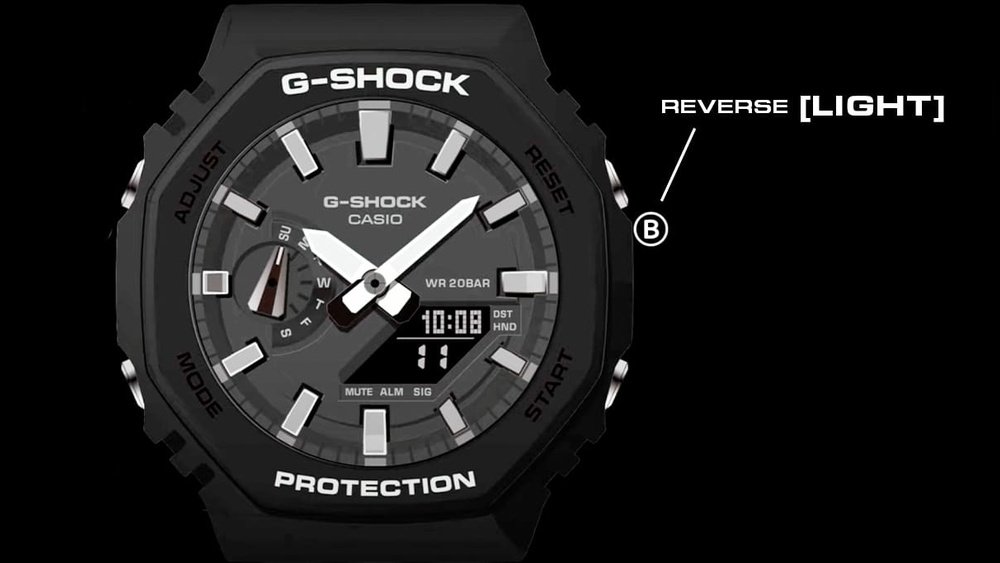
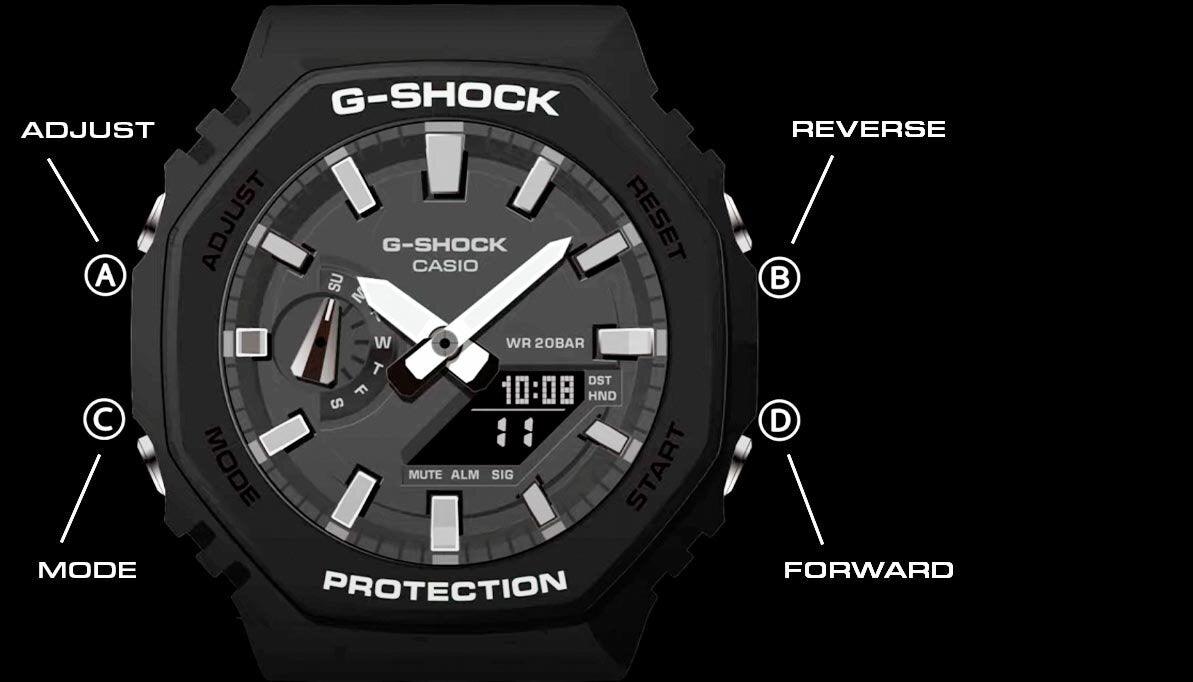
The Casio G Shock watch has several important buttons. The Adjust button helps you set the time and other settings. The Mode button switches between different functions like stopwatch and alarm. The Start/Stop button controls the stopwatch, and the Light button turns on the backlight for viewing in the dark.
The watch display shows many useful elements. The time is shown in hours, minutes, and seconds. The date appears below the time. Some models have a day of the week display. There is also a small indicator for alarms or timers when they are active. Battery status may show on some G Shock models.
Credit: twkf.gov.tr
Preparing To Set The Time
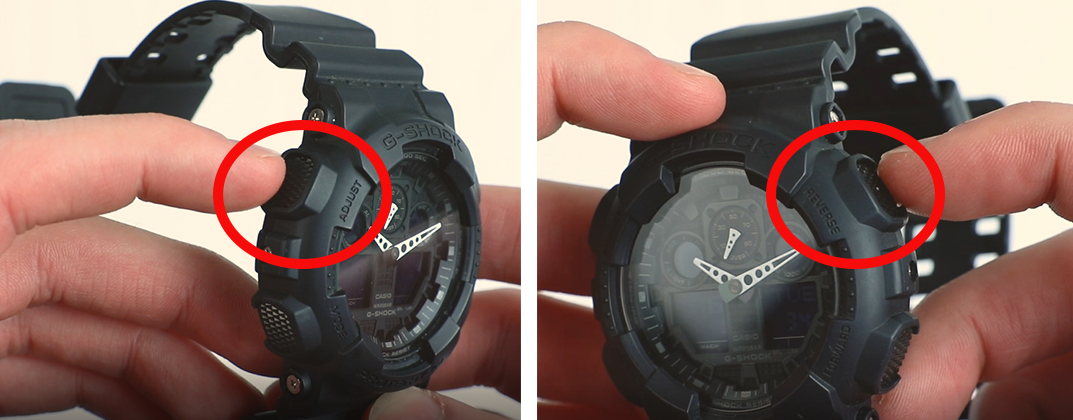
Press and hold the Adjust button until the watch beeps. This activates the time setting mode. The seconds will start flashing. Use the Mode button to move through different settings like seconds, hours, and minutes.
Choose the time format by pressing the Start/Stop button. It switches between 12-hour (AM/PM) and 24-hour (military) formats. The watch will show either “12H” or “24H” on the screen.
Adjusting The Time
To set the hour and minutes on your Casio G Shock watch, press and hold the Adjust button until the numbers start blinking. Use the Forward and Reverse buttons to change the time. Press the Mode button to move from hours to minutes. Stop when the correct time shows.
Changing the seconds is easy. When the seconds blink, press the Forward button to reset them to zero. If you want to skip this, just press the Mode button again.
Setting The Date And Day
To adjust the month on your Casio G Shock watch, press the Mode button until the month starts flashing. Use the Forward or Reverse buttons to change the month to the correct one. Press the Mode button again to confirm and move on.
Setting the day and year is just as simple. After setting the month, the day will flash next. Use the same buttons to change the day. Press the Mode button to confirm. Then, the year will flash. Adjust it using the buttons and press Mode once more to save.
Using World Time And Alarms
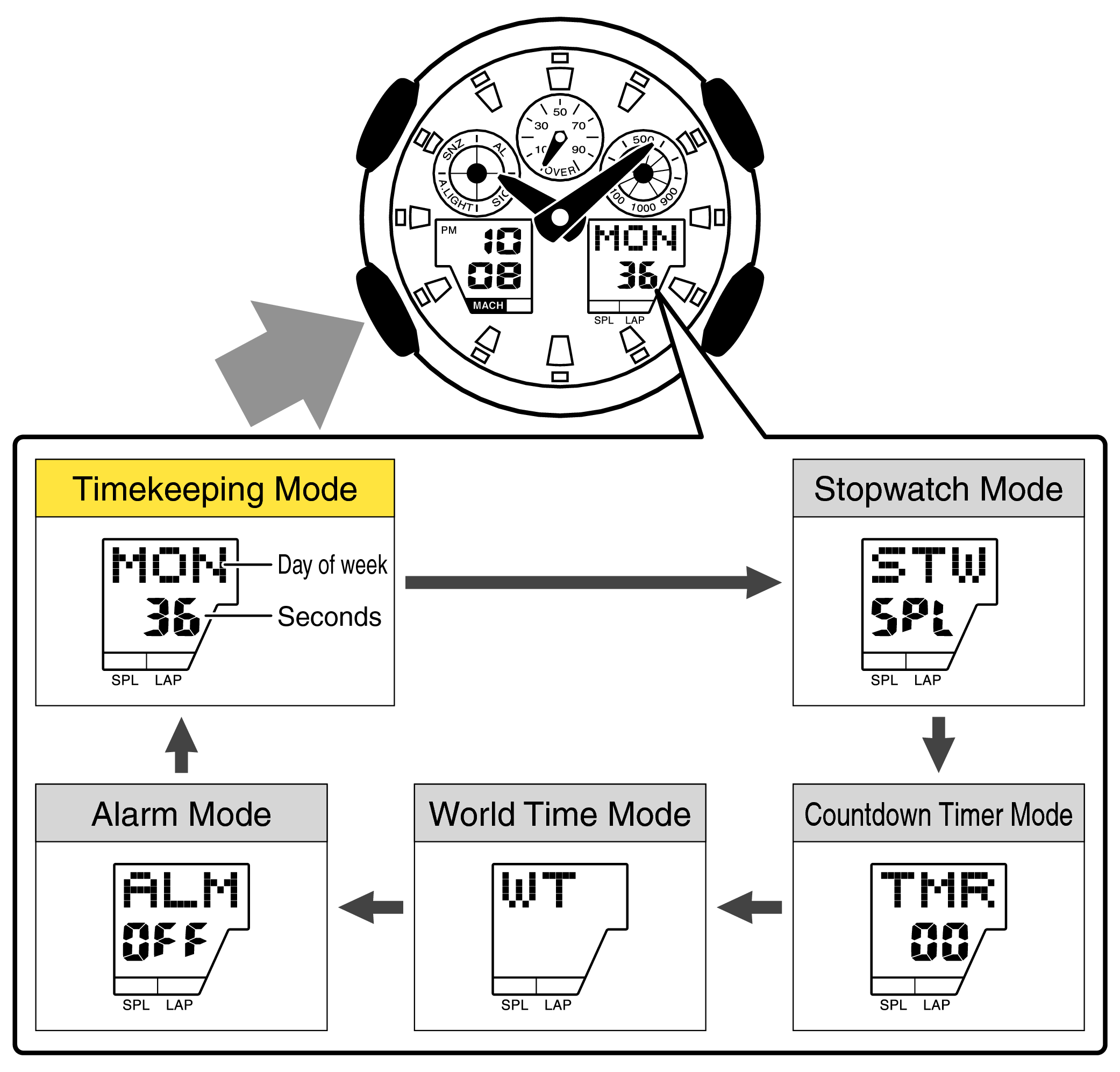
Selecting World Time Zones on a Casio G Shock watch is simple. Press the Mode button until you reach the World Time mode. Use the Forward or Reverse buttons to scroll through different city codes. Each city code stands for a specific time zone. When you find the right city, stop pressing the buttons. The watch will show the current time in that zone. This helps you keep track of time when traveling or calling friends far away.
Setting Alarms and Timers is quick too. Press the Mode button to go to the Alarm mode. Use the Forward and Reverse buttons to select an alarm number. Press the Adjust button to change the alarm time. Use the Forward and Reverse buttons to set hours and minutes. Press Adjust again to save. For timers, enter Timer mode, then set the countdown time the same way. Press Start to begin the timer and Stop to pause.
Credit: www.fima-industries.com
Tips For Accurate Timekeeping
Synchronizing your Casio G Shock watch with atomic time keeps it very accurate. Atomic time signals come from special radio stations. Your watch receives these signals automatically at night. This helps the watch correct any small time errors. To sync manually, press the right buttons as per your model’s guide. Regular syncing ensures your watch stays precise.
Battery and maintenance are key for long-lasting use. Replace the battery every 2-3 years, or when the watch shows low power signs. Keep the watch clean by wiping with a soft cloth. Avoid strong chemicals or extreme heat. Check the water resistance seals regularly to prevent damage. Proper care helps your watch work well for many years.
Troubleshooting Common Issues
Sometimes, the watch stops responding. This can happen for many reasons. The buttons may be stuck or the battery could be low. Try pressing the reset button first. It is usually a small hole on the back or side. Use a paperclip or similar tool to press it gently.
Hold the reset button for about 5 seconds. The watch should restart and work normally again. If the watch still does not respond, check the battery. A weak battery can cause the watch to freeze or stop.
Replace the battery if needed. After that, try resetting the watch again. This simple step fixes many common problems quickly and easily.
Credit: www.mygiftstop.com
Frequently Asked Questions
How Do I Set The Time On A Casio G Shock Watch?
Press and hold the adjust button until the seconds flash. Use the mode button to cycle through settings. Use the forward or reverse buttons to change values. Press adjust again to save and exit the time-setting mode.
Can I Set The Date On My Casio G Shock Watch?
Yes, press and hold the adjust button until the seconds flash. Use the mode button to reach the date settings. Adjust the year, month, and day using the forward and reverse buttons. Press adjust to save your changes.
How Do I Change The Time Zone On A G Shock Watch?
Enter the world time mode by pressing the mode button. Use the forward and reverse buttons to select your city code. This changes the time zone displayed. Press adjust to confirm the new time zone setting.
What Is The Best Way To Reset A Casio G Shock Watch?
Press and hold the adjust button for about 10 seconds until the watch resets. This restores factory settings and clears any errors. Use this if your watch is unresponsive or showing incorrect time.
Conclusion
Setting your Casio G Shock watch is simple and quick. Follow the steps carefully to avoid mistakes. Take your time to adjust the time and date correctly. Practice helps you get comfortable with the buttons. Your watch will stay accurate and useful every day.
Enjoy the toughness and style of your G Shock. Keep this guide handy for future adjustments. You now have the skills to set your watch right.