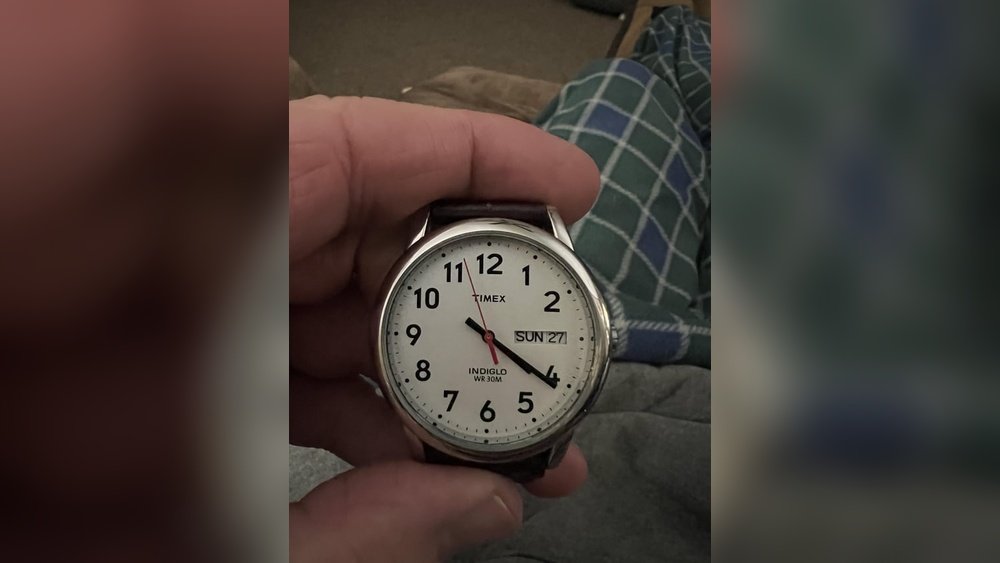
Are you struggling to set the day on your Timex watch? You’re not alone.
Many people find it tricky to adjust their watch’s day feature correctly. But don’t worry—this guide will walk you through each simple step, so you can get your Timex watch showing the right day in no time. Keep reading, and you’ll master this skill quickly, saving you time and frustration.
Your watch will look perfect, and you’ll feel confident every time you check the date. Let’s get started!

Credit: naturaconnect.eu
Identify Your Timex Watch Model
Start by checking the back of your Timex watch. The model number is usually printed there. It might be a mix of letters and numbers, like TW2R or EXPEDITION. Knowing this helps find the right instructions.
Look for the watch type next. It can be digital, analog, or analog-digital. Each type has different steps to set the day. Digital watches often have buttons labeled Mode or Set. Analog watches use the crown (the knob on the side).
Check your watch manual or visit the official Timex website. They provide guides based on the model. If you lost the manual, search online using your model number. This ensures the instructions match your specific watch.
Locate The Crown And Buttons
The crown is the small knob usually found on the side of your Timex watch. It is used to set the time and date. Some watches also have extra buttons near the crown to help with other settings.
To start, gently pull the crown out. You will feel a slight click. This means the crown is ready for setting. The first click often lets you change the day and date.
Press the buttons if your watch has them. These can move the day or date forward or backward. If no buttons exist, turn the crown slowly to set the day.
Prepare The Watch For Setting
To set the day on a Timex watch, start by pulling out the crown gently. The crown is the small knob on the side of the watch. Pull it out to the first click to enter the time-setting mode. This position lets you change the day and date without moving the time.
Turn the crown slowly to adjust the day. You will see the day of the week change on the watch face. Stop turning when the correct day appears. Be careful not to pull the crown out too far, or you might enter the time-changing mode instead.
Once the day is set, push the crown back in fully. This action locks your settings and gets the watch ready to use. The watch should now show the correct day and continue to run normally.
Adjust The Day Display
To change the day on an analog Timex watch, first pull out the crown gently. Rotate the crown slowly until the correct day appears. Some models require turning the crown clockwise, others counterclockwise. Be careful not to force it.
For digital Timex watches, use the buttons on the side. Press the mode button until the day starts blinking. Then, use the set or adjust button to change the day. Press the mode button again to save your setting.
Always check your watch’s manual if unsure. Setting the day correctly keeps your watch accurate.
Set The Correct Time
To set the correct time on a Timex watch, first locate the crown on the side. Pull the crown out gently to the first click. Turn the crown slowly to move the hands to the correct hour and minute. Make sure the watch shows AM or PM correctly. Push the crown back in to start the watch again. The time is now set.
Setting the day usually comes next. Pull the crown to the second click if your watch has this feature. Turn the crown until the day of the week appears correctly. Push the crown back in to finish. Your watch now shows the correct day and time.
Finalize And Secure Settings
Push the crown back in firmly after setting the day and time. This step locks your adjustments and keeps the watch working properly. Make sure the crown is fully pressed to avoid water damage or accidental changes.
Check the day and time on your watch carefully. The day should match the current day of the week. The time should show the right hour and minute. If something looks off, gently pull the crown out again to adjust.
Wait a moment to see if the day changes correctly at midnight. This confirms the watch is set properly. If the day jumps at noon, reset the watch to the correct AM or PM time.
Troubleshooting Common Issues
Day not changing correctly on your Timex watch can be due to the time setting. The watch changes the day only around midnight. If set near noon, the day might switch at the wrong time. Try setting the time to a few hours before midnight and watch if the day changes properly.
Watch not responding to settings may happen if the crown is not pulled out fully. Make sure the crown is in the correct position before adjusting. Sometimes, dirt or dust can block the crown. Clean it gently with a soft cloth. If the watch still does not respond, the battery might be low and need replacement.

Credit: hostfamilies.org
Tips For Maintaining Your Timex Watch
Checking your watch’s battery often helps keep it running well. A weak battery can cause the watch to stop or show the wrong time. Replace the battery every 1-2 years or when the watch slows down.
Water can damage many Timex watches. Avoid wearing your watch in the shower, swimming pool, or while washing dishes. Even small amounts of water can harm parts inside the watch.
Some Timex models are water-resistant, but it’s best to be careful. Always check the watch’s water resistance rating before exposing it to water. Keep the crown and buttons dry to prevent leaks.

Credit: www.youtube.com
Frequently Asked Questions
How Do I Set The Day On A Timex Watch?
To set the day, pull the crown out to the first position. Turn it clockwise or counterclockwise until the correct day appears. Push the crown back in to secure the setting.
Can I Change The Day Without Affecting The Time?
Yes, setting the day is done at the first crown position, which does not change the time. Adjust the day carefully, then push the crown back to maintain accurate time.
What If My Timex Watch Doesn’t Show The Correct Day?
If the day isn’t changing, check if the watch is in AM or PM mode. Adjust the time past midnight to reset the day display correctly.
How Often Should I Adjust The Day On My Timex Watch?
You typically only need to adjust the day monthly or after months with fewer than 31 days. Regular checks ensure your watch always shows the correct day.
Conclusion
Setting the day on your Timex watch is quick and simple. Just follow the steps carefully, and you will have the correct day showing in no time. This small task helps keep your watch accurate and useful every day. Practice a few times to feel confident.
Now, your Timex watch will always display the right day, making it easier to stay on schedule. Enjoy your watch’s reliable timekeeping!