
Casio watches are popular for their durability and features. Many people own one or more Casio watches. But sometimes, you need to change the time. Maybe you moved to a new time zone or your watch stopped. Setting the time is easy once you know the steps.
This guide will help you set the time on most Casio watches. We will explain the process step-by-step. You can follow along even if your English is not perfect.
Understanding Your Casio Watch Buttons
Casio watches usually have four buttons. Each button has a letter name. These letters help you know what to press.
| Button | Position | Common Letter Name | Function |
|---|---|---|---|
| Top Left | Upper Left Corner | A (Adjust) | Starts setting mode and saves changes |
| Bottom Left | Lower Left Corner | C (Mode) | Switches between watch modes |
| Top Right | Upper Right Corner | B | Increases values or moves forward |
| Bottom Right | Lower Right Corner | D | Decreases values or moves backward |
Remember these button names. They will help you follow the instructions below.
Step-by-Step Guide to Set Time on a Casio Digital Watch
Most Casio watches use a similar way to set the time. Here is how you do it:
- Press and hold the A (Adjust) button for about 3 seconds. You will hear a beep. The seconds will start to blink. This means you are in time setting mode.
- Press the C (Mode) button to move through the settings. The order is usually: seconds → hour → minutes → year → month → day.
- When a value blinks, use the B or D buttons to change it. Press B to increase and D to decrease the number.
- Keep pressing C to go to the next setting until all values are correct.
- Press A (Adjust) button again to save changes and exit the setting mode.
That is all you need to do for most digital Casio watches.
Example:
- Hold A until seconds blink.
- Press C to select hour.
- Use B or D to set the correct hour.
- Press C to go to minutes.
- Set minutes with B or D.
- Press C to set year, month, and day.
- Press A to finish.
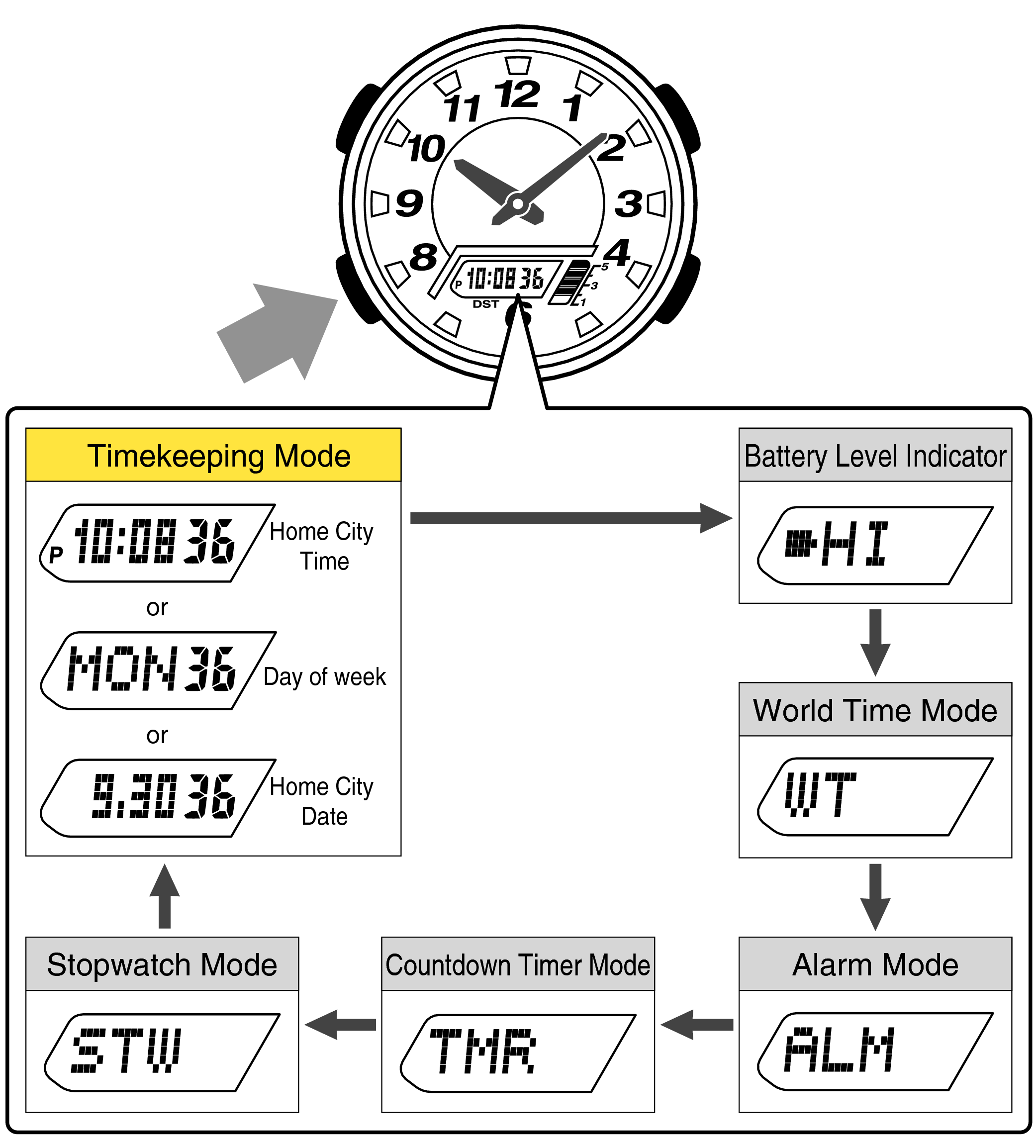
Credit: support.casio.com
How to Set Time on Casio G-Shock Watches
Casio G-Shock watches are very popular. They have extra features but setting the time is similar.
- Press the C (Mode) button until the time screen appears.
- Hold A (Adjust) button until the seconds start blinking.
- Press C to move from seconds to hour, then minute, then year, month, and day.
- Use B (top right) button to increase the number.
- Press A to save the changes and exit.
If your G-Shock watch has analog hands, you might need to sync them with the digital time. To do this:
- Hold the A button to enter setting mode.
- Press C to find the hand setting mode (often called “H-Set”).
- Use B or D to move the hands to the correct position.
- Press A to save and exit.
How to Set Time on Casio Analog Watches
Casio analog watches have small knobs instead of buttons. Here is how to set time on them:
- Pull the crown (small knob on the side) out gently until you hear a click.
- Turn the crown clockwise or counterclockwise to move the hands.
- Set the hour and minute hands to the correct time.
- Push the crown back in to start the watch again.
Some analog-digital watches require you to set the digital time first. Then you adjust the hands to match the digital time.
Tips to Make Setting Time Easier
- Read your watch manual: Different models may have small differences.
- Watch the seconds: When setting time, set seconds to zero for accuracy.
- Use good light: It is easier to see the buttons and screen in light.
- Take your time: Don’t rush; press buttons slowly.
- Reset if needed: If you make a mistake, press A to exit and start again.
Special Notes for Casio Smart Watches
Some Casio watches connect to your phone. These are smart watches. For these watches, you can set the time using the Casio Watches app.
Steps for smart watches:
- Download and open the Casio Watches app on your phone.
- Connect your watch to the phone via Bluetooth.
- The watch will sync time automatically from your phone.
- You can also adjust settings from the app.
This way, you do not need to press buttons on the watch. The app does the work for you.
Summary: How to Set Time on Casio Watch
| Watch Type | How to Set Time |
|---|---|
| Digital Casio Watch | Hold A to enter settings, use C to move, B/D to change, A to save. |
| Casio G-Shock | Press C to time screen, hold A, use C and B to set, sync hands if needed. |
| Analog Casio Watch | Pull crown out, turn to set hands, push crown back in. |
| Smart Casio Watch | Use Casio Watches app to sync and set time. |

Credit: www.youtube.com
Final Thoughts
Setting the time on a Casio watch is simple. Know the buttons and follow the steps. Take your time and adjust carefully.
If your watch is not working after setting time, check the battery. Sometimes a low battery causes problems.
Enjoy your Casio watch and keep it set to the right time!
Frequently Asked Questions
How Do I Change The Time In My Casio Watch?
Press the Mode (C) button until the seconds blink. Use the Adjust (A) button to select hours or minutes. Change values with buttons B or D. Press Adjust (A) to save and exit. For analog/digital models, sync hands in Hand Setting mode if needed.
How To Set A Casio Watch With Four Buttons?
Press the bottom-left (Mode) button until the seconds flash. Use top-right or bottom-right buttons to adjust values. Press top-left (Adjust) to save and exit. Repeat to set hours, minutes, year, month, and day. For analog-digital models, sync hands in “H-Set” mode.
How To Set Time On Casio With 3 Buttons?
Press the Mode (C) button three times until seconds flash. Use the Adjust (B) button to reset seconds. Press Adjust (A) to switch fields, then change values with the Adjust (B) button. Press Mode (C) to confirm and exit.
How To Set Date On Casio Watch With One Button?
Press and hold the button until the date starts blinking. Press the same button repeatedly to cycle through day, month, and year. Release to set.