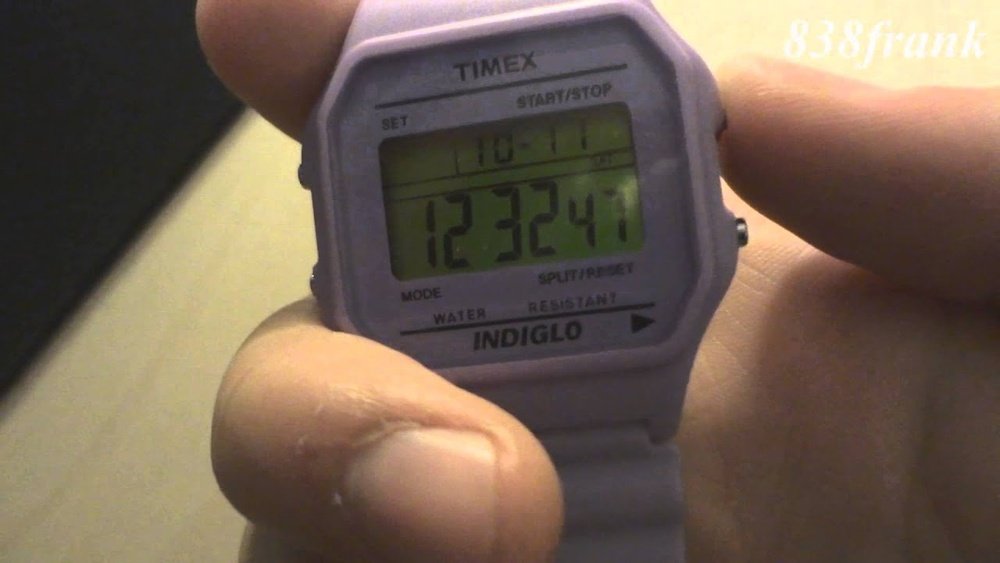
Is your Timex watch beeping nonstop and driving you crazy? You’re not alone.
Those constant beeps can interrupt your focus and even cause embarrassment in quiet moments. But don’t worry—stopping the beeping is easier than you think. You’ll learn simple steps to silence your Timex watch quickly and get back to enjoying it without the noise.
Keep reading, and you’ll have peace and quiet in no time.

Credit: www.reddit.com
Reasons For Timex Watch Beeping
The alarm and timer on a Timex watch can cause beeping sounds. These sounds alert you to important times you set. Check if the alarm or timer is still active. Turning them off will stop the beeping.
The hourly chime feature makes the watch beep every hour. This can be useful but also annoying. You can disable the hourly chime in the settings to stop the sound.
A low battery warning causes the watch to beep too. This sound warns you to replace the battery soon. If the battery is very low, the watch may beep continuously until changed.

Credit: www.reddit.com
Disabling The Alarm And Timer
To stop a Timex watch from beeping, start by accessing the alarm mode. Press the mode button until the alarm screen shows. This screen usually has a small bell icon.
Turning off the alarm is easy. Press the set or start/stop button to toggle the alarm sound off. The bell icon should disappear, showing the alarm is off.
Resetting the timer helps stop unwanted beeps from the countdown. Go to the timer mode by pressing the mode button. Press reset or stop to clear the timer. Set the timer back to zero to avoid more beeping.
Turning Off Hourly Chime
To stop your Timex watch from beeping every hour, first find the mode button. Press it until the chime settings appear on the screen. This usually looks like a small bell icon.
Next, use the set or adjust buttons to turn the hourly signal off. The bell icon should disappear, showing the chime is disabled.
Some Timex models require holding a button for a few seconds to confirm the change. Look for a quick beep or the icon vanishing as a sign.
Be sure to exit the settings mode by pressing the mode button again. Your watch will stop beeping every hour now.
Managing Low Battery Alerts
Battery warning beeps on a Timex watch usually mean the battery is low. These beeps sound at set times or after pressing buttons. The watch might also show a flashing battery icon or dim display.
Stopping the beeps requires replacing the battery. Use a small screwdriver to open the back cover carefully. Remove the old battery and check its type, usually a coin cell like CR2016.
Insert a new battery the same way, matching the positive and negative sides. Close the back cover tightly to keep water out. Test the watch by pressing buttons to ensure the beeping stops.
Adjusting Watch Settings For Silence
The Do Not Disturb (DND) mode on a Timex watch stops all beeping sounds. Activate it by pressing the Mode button until you see the settings menu. Then, find the Sound or Beep option. Use the Start/Stop button to toggle DND on or off. This silences alarms and hourly chimes without turning off the watch.
To customize sound settings, enter the sound menu. You can choose to turn off the hourly beep or alarms separately. Adjust the volume or beep pattern if your model allows it. Saving changes ensures the watch stays quiet as needed.
Troubleshooting Persistent Beeping
To stop a Timex watch from beeping, try resetting it first. Press and hold the MODE button for about 10 seconds. This clears most alarms and alerts. Check the watch screen; if the beep stops, the reset worked.
Some Timex watches have a dedicated reset hole on the back. Use a small pin to press it gently. This can fix persistent beeping caused by glitches.
Resetting removes all alarms. You need to set alarms again if you want them. This is normal after a reset.
If the watch keeps beeping after resetting, it might need help from Timex support. Contact them for advice or repair options. They know how to handle tricky issues safely.

Credit: www.youtube.com
Frequently Asked Questions
How Do I Silence A Timex Watch Alarm?
To silence a Timex watch alarm, press the designated stop or mode button. This action usually stops the beep instantly. Check your watch manual for exact button instructions based on your model.
Why Does My Timex Watch Keep Beeping Repeatedly?
Repeated beeping often indicates an active alarm or hourly chime. Disable these features in the settings menu to stop the beeping. Refer to your watch’s user guide for detailed steps.
Can I Turn Off The Hourly Chime On Timex Watches?
Yes, you can turn off the hourly chime. Access the settings, locate the chime option, and toggle it off. This stops the watch from beeping every hour.
What Button Stops Timex Watch Beeping During Alarms?
The stop or mode button typically stops alarms from beeping. Press it once the alarm sounds to silence it immediately. Button names may vary by model.
Conclusion
Stopping your Timex watch from beeping is simple and quick. Check the alarm or hourly chime settings first. Turn off any alerts you do not want. Press the mode button to find these options. Follow the steps carefully and test after each change.
This way, you avoid unwanted sounds during your day. Enjoy your watch without distractions now. Keep this guide handy for future reference. Your Timex will work just how you like it.