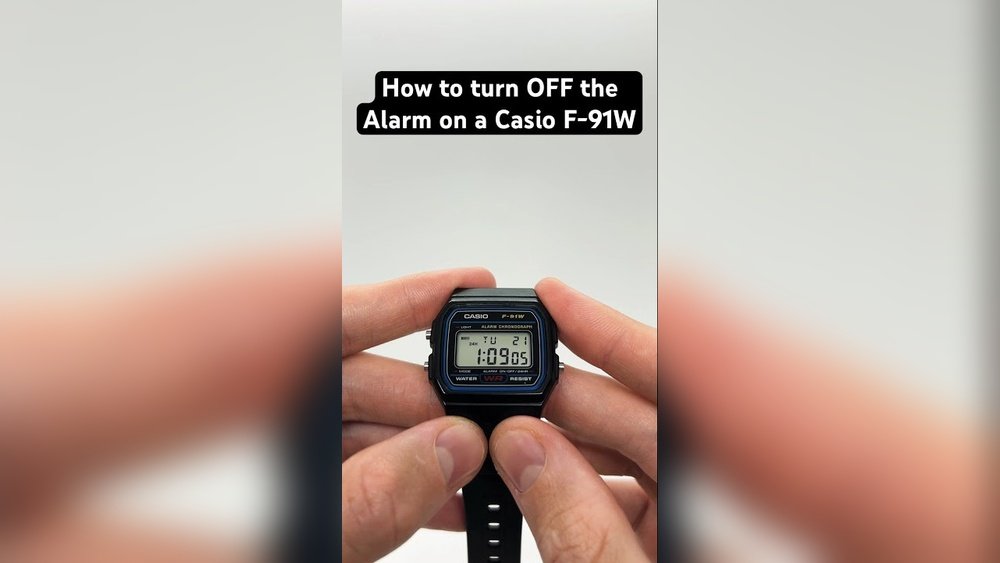
Is your Casio watch beeping every hour, and it’s driving you a little crazy? You’re not alone.
That hourly beep, designed to keep you on schedule, can quickly become an annoyance when you just want some peace and quiet. Luckily, stopping that beep is easier than you might think. In this guide, you’ll learn simple, step-by-step instructions to silence your Casio watch’s hourly signal—so you can wear your watch without the constant interruptions.
Keep reading, and you’ll have full control over your watch’s sounds in no time.
Locate Alarm Mode
Press the Mode button on your Casio watch to cycle through options.
Keep pressing until the Alarm Mode appears on the screen. It usually shows a small bell icon or “AL” letters.
Alarm Mode lets you control beeping sounds, including the hourly beep.
Use the buttons on the right side to select alarms or chime settings.
Finding Alarm Mode is key to stopping the watch from beeping every hour.
Cycle Through Signal Options
Press the bottom left button to enter the settings mode. Keep pressing it until you reach the signal options. These include hourly beep, alarms, and silent mode. Use the button on the right to cycle through these choices.
Stop at the option that shows the hourly beep turned off. Confirm by waiting or pressing the bottom left button again. The watch will now stop beeping every hour. This method works for most Casio digital watches.
Practice cycling through the options a few times. This helps find the right setting quickly. Keep the watch manual handy if unsure about button names.
Turn Off Hourly Beep
Press the bottom left button once to enter the setting mode. Use the right button to cycle through options until the hourly beep setting appears. When you see the beep icon, press the bottom right button to toggle it off.
The hourly beep icon usually looks like a small bell or sound wave. Turning it off stops the watch from beeping every hour. This simple process works on most Casio digital watches.
If unsure, repeat the steps slowly. Watch icons and button names may differ slightly by model, but the basic method stays the same. No tools or special skills are needed.
Confirm Settings
First, press the Mode button on your Casio watch. This button is usually at the bottom left. Keep pressing until you see the alarm or hourly chime setting on the screen. Look for the symbol that shows a bell or sound waves.
Next, press the button on the right side to toggle the hourly beep on or off. When the beep is off, the bell icon will disappear. Confirm that the hourly beep is disabled by checking the screen.
Make sure you do not change the time or date settings while doing this. Just focus on the alarm or hourly chime mode. This simple step stops your watch from beeping every hour.
Alternative Methods
Press and hold two buttons at the same time to stop the beep. Usually, these are the top left and bottom right buttons. Hold them for about 3 seconds until the beep stops.
Check the signal icons on the watch screen. Some Casio watches show a small bell or sound icon when the hourly beep is on. Press the mode button to cycle through settings and find the beep control. Turn off the beep by selecting the icon and pressing a button to disable it.
Credit: www.reddit.com
Tips For G-shock Models
Press the Mode button on your G-Shock watch. Keep pressing until you see the hourly signal or chime setting. Use the Adjust button to switch the beep on or off. Usually, this is done by pressing the button on the top left or right side. Watch for the small bell icon or hourglass symbol on the screen. If the icon disappears, the beep is off. Repeat these steps if it does not change the first time.
Some models may have a slightly different button layout. Check your watch’s manual for exact steps. This method stops the watch from beeping every hour. No need to remove batteries or reset the watch.
Disable Button Beeps
Press the bottom left button once to enter settings. Then, press the right button to move through options. Keep pressing until you see the hourly beep or chime setting. When the beep icon shows, press the top right button to turn it off. The icon will disappear, meaning the beep is disabled.
This method works for most Casio watches. Different models may vary slightly. Always check your watch screen for icons while pressing buttons. The beep will stop once the chime is turned off.

Credit: www.youtube.com
Troubleshooting Common Issues
Sometimes, buttons on Casio watches may not respond properly. This often happens due to dirt or moisture. Gently clean around the buttons with a soft cloth. Press buttons firmly but do not force them.
The signal icon may stay stuck on your display. This can mean the hourly beep is active or a setting is stuck. Try resetting the watch by holding the reset button for a few seconds. This can clear the stuck icon.
| Watch Model | How to Stop Beeping |
|---|---|
| Casio G-Shock | Press Mode until Alarm screen appears. Turn off hourly chime. |
| Casio F91W | Press Mode, then Light to toggle hourly beep off. |
| Casio Pro Trek | Use Mode to find Alarm, then disable hourly signal. |
Credit: www.reddit.com
Frequently Asked Questions
How Do I Turn Off The Hourly Beep On My Casio Watch?
Press the bottom-left Mode button to enter Alarm Mode. Then press the right-side button to toggle off the hourly beep until the “SIG” icon disappears. Press Mode again to exit.
How Do I Stop Hourly Beep On My Watch?
Press the Mode button to enter Alarm Mode. Then press the right button to toggle off the hourly beep. Confirm when the bell or “SIG” icon disappears.
How To Disable Hourly Chime Time?
Press the bottom-left Mode button to enter Alarm Mode. Press the right button to toggle hourly chime off. Ensure the “SIG” icon disappears. Press Mode again to exit.
How Do I Turn Off The Sound On A Casio?
Press the bottom-left Mode button once to enter Alarm Mode. Then, press the right button to toggle off the hourly beep. Stop when the bell or “SIG” icon disappears. Press Mode again to return to the home screen.
Conclusion
Stopping your Casio watch from beeping every hour is simple. Just follow the steps to access the alarm settings. Turn off the hourly signal until the beep icon disappears. This quiets your watch without affecting other functions. Now you can enjoy peace without constant hourly alerts.
Keep your watch set how you like it. Easy to do, and no tools needed. Your Casio will stay silent when you want it.