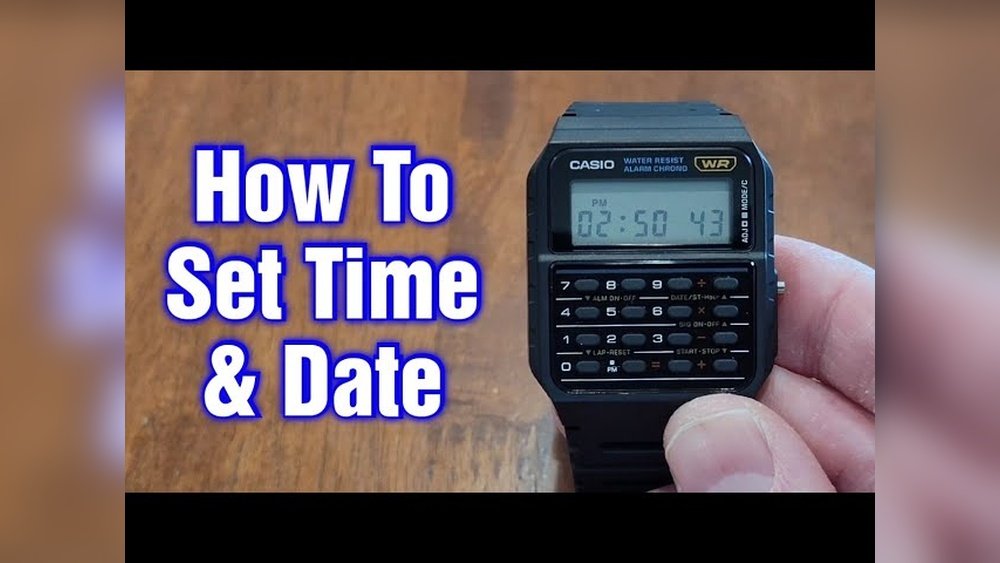
Have you ever wished your watch could do more than just tell time? Imagine having a calculator right on your wrist, ready whenever you need it.
The Casio calculator watch is more than just a cool gadget—it’s a powerful tool that can make everyday tasks easier. Whether you’re crunching numbers on the go or just want to impress your friends, mastering this watch is simpler than you think.
Stick with me, and I’ll show you exactly how to use your Casio calculator watch to its full potential. You’ll wonder how you ever lived without it!
Getting Started With Your Casio Calculator Watch
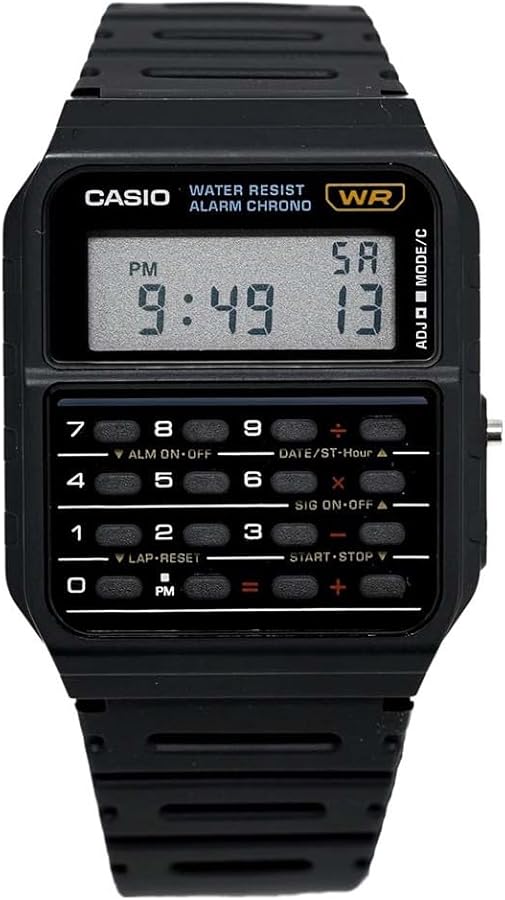
The Casio calculator watch has several buttons to control different functions. The number keys are used for math calculations. The mode button changes the watch’s function, like switching to time or calculator mode. The adjust button helps set the time and date.
To set the time, press the mode button until the time screen appears. Hold the adjust button until the digits start blinking. Use the number keys to change the hour and minutes. Press the mode button to move between hours, minutes, and seconds.
To set the date, follow the same steps but select the date section instead of time. Use the number keys to change the day, month, and year. Press the adjust button again to save your settings.
Credit: www.amazon.com
Basic Calculator Functions
The Casio calculator watch lets you perform simple calculations quickly. Use the number keys to enter digits. Press the +, –, ×, or ÷ buttons to choose the operation. Then press the = button to see the result.
Memory functions store numbers for later use. Press M+ to add the displayed number to memory. Use MR to recall the stored number. Press MC to clear the memory. This helps keep track of totals without writing them down.
Exploring Advanced Features
The stopwatch on the Casio calculator watch helps track time easily. Press the button to start timing. Press again to stop. Reset by holding the button. Perfect for sports or quick tasks.
Setting alarms is simple. Hold the alarm button until the numbers blink. Use the buttons to change hours and minutes. Confirm by pressing the alarm button again. The watch will beep at the set time.
Dual time mode shows two time zones at once. Press the mode button until dual time appears. Use buttons to set the second time zone. Great for travelers or those with family abroad.

Credit: www.youtube.com
Customization Tips
Adjusting display settings on a Casio calculator watch is easy. Use the mode button to cycle through the main screens. Press and hold the adjust button until the numbers blink. Use the forward or reverse buttons to change values like time or date. Press adjust again to save changes.
Changing watch modes helps you use different functions. The watch usually has modes for time, calculator, alarm, and stopwatch. Press the mode button to switch between these. Each mode shows different buttons and options. Practice switching modes to get familiar with the watch’s features.
Troubleshooting Common Issues
Resetting the Casio calculator watch can fix many small problems. Press the reset button gently using a small pointed tool. Hold it for a few seconds until the screen clears. This will restart the watch without deleting your saved data. If the watch freezes or stops working, a reset usually helps.
Battery replacement is key to keep the watch working well. Use a tiny screwdriver to open the back cover carefully. Remove the old battery and replace it with the same type. Make sure the new battery fits snugly. Close the cover tightly to protect the watch from dust and water. After replacing, check the display and functions to confirm the watch works.

Credit: www.casio.com
Maximizing Everyday Use
The calculator function on your Casio watch helps with quick math tasks. Use it for adding prices while shopping or splitting bills with friends. It saves time by not needing a phone or separate calculator.
To keep your watch working well, clean it regularly with a soft cloth. Avoid water if your model is not water-resistant. Replace the battery as soon as the display fades or stops working. Store the watch in a dry place to prevent damage.
Frequently Asked Questions
How Do I Set The Time On A Casio Calculator Watch?
To set the time, press the mode button until the time display appears. Hold the adjust button until the digits blink. Use the calculator keys to change hours and minutes. Press the mode button again to save the settings.
Can I Use The Calculator Function While Wearing The Watch?
Yes, the calculator function is accessible anytime by pressing the calculator mode button. Use the numeric keys to perform basic math operations like addition, subtraction, multiplication, and division.
How Do I Change The Date On My Casio Calculator Watch?
Enter time-setting mode by holding the adjust button. Use the mode button to switch to the date display. Adjust the day, month, and year using the calculator keys. Press adjust again to save all changes.
Is The Casio Calculator Watch Water-resistant?
Most Casio calculator watches offer water resistance, usually up to 30 meters. They can handle splashes and rain but are not suitable for swimming or diving. Always check your specific model’s manual for water resistance details.
Conclusion
The Casio calculator watch offers useful features in a small package. You can easily perform quick calculations anytime, anywhere. Its simple buttons and clear display make it user-friendly. This watch combines style and function well. Wearing it saves time and keeps you organized.
Try using it daily to see its benefits. A handy tool for students, professionals, and anyone on the go. Remember, practice helps you get comfortable with all functions. Enjoy the convenience this classic watch provides every day.