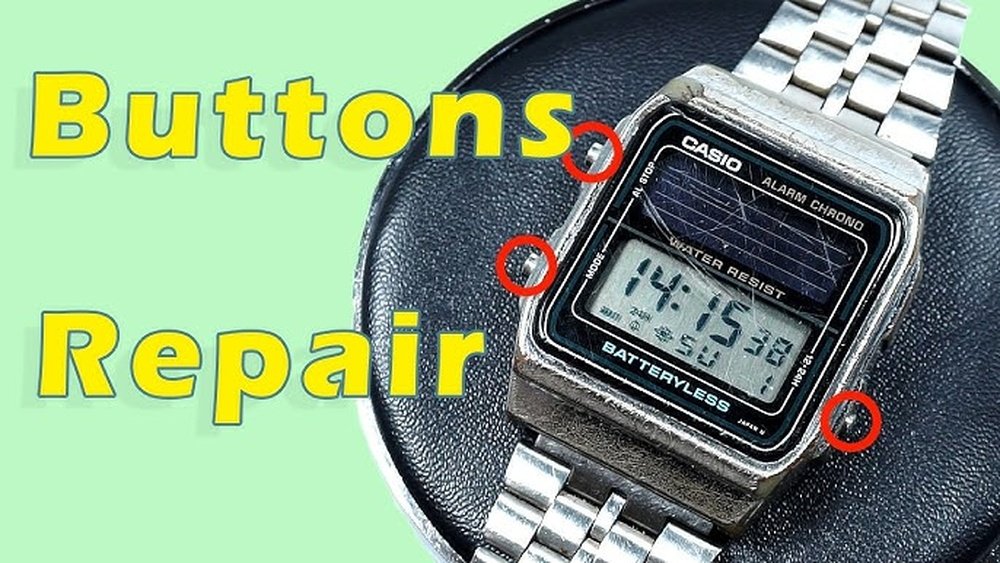
Is your Casio watch button stuck or not responding like it used to? You’re not alone—and the good news is, you don’t always need to replace your watch or pay for expensive repairs.
With just a few simple steps, you can fix the button yourself and get your watch working perfectly again. Keep reading to discover easy, effective ways to bring your Casio watch back to life—no special tools or skills required!
Common Button Issues
Sticky buttons often happen because dirt or dust gets inside. Cleaning with a soft brush or cloth can help. Avoid using too much water to stop damage.
Unresponsive buttons might be caused by battery issues or worn-out contacts. Check the battery first. Replace it if needed. Sometimes, pressing the button multiple times can fix the problem.
Physical damage like cracks or broken parts needs careful attention. Small cracks might be fixed with gentle cleaning and realignment. For serious damage, professional repair is best.
Credit: www.reddit.com
Tools You’ll Need
Basic repair kit includes small screwdrivers, tweezers, and a magnifying glass. These help remove tiny screws and see small parts clearly. A soft cloth protects the watch face from scratches during the fix.
Specialized tools like a case opener or spring bar tool are needed to open the watch and remove buttons safely. These tools fit perfectly with Casio watches and avoid damage.
Safety equipment includes gloves to keep oils from your hands off the watch. A small container keeps screws and parts safe so nothing gets lost. Good lighting is important for clear visibility.
Preparing Your Watch
Start by removing the watch strap carefully. Use a small tool to push the spring bars. This lets you take off the strap without damage. Keep the strap safe to avoid loss.
Next, open the watch case. Use a case opener or a small flat tool. Gently pry the back cover off. Be careful not to scratch the watch or hurt yourself.
Keep all small parts organized. Use a tray or a small box. This stops tiny pieces from getting lost. Arrange screws, buttons, and other parts neatly. It helps during reassembly.

Credit: www.youtube.com
Cleaning The Button Area
Dirt and debris often cause Casio watch buttons to stick or stop working. Start by gently removing dust with a soft brush or a toothpick. Avoid pushing dirt further inside the watch. Use a small amount of isopropyl alcohol on a cotton swab to clean around the button area. This helps dissolve grease and grime without harming the watch. Be careful not to soak the watch.
After cleaning, dry the area with a soft cloth. Let the watch air dry for a few minutes to ensure no moisture remains. Avoid using a hairdryer or heat source, as this can damage the watch parts. Keeping the button area clean helps maintain smooth function and extends your watch’s life.
Fixing Button Mechanism
Start by realigning the button carefully. Remove the watch back cover to access the button mechanism. Use a small tool to gently push the button back into its correct position. Check that the button moves freely without sticking.
Next, look for damaged springs inside the button mechanism. Springs help the button bounce back after pressing. Replace any broken or weak springs with new ones of the same size. This will restore the button’s normal function.
Finally, apply a small amount of lubricant to the moving parts. Use watch-safe oil or grease to reduce friction. Avoid using too much oil, as this can attract dust and dirt. Lubricating keeps the button smooth and responsive over time.
Testing The Button
After opening the watch, carefully place the button back in its slot. Make sure it fits snugly and is not loose. Close the watch case gently but firmly.
Press the button several times to see if it works right. The watch should respond quickly every time. If it feels stuck or does not click, check the button’s position again.
Troubleshooting Tips:
- Clean the button and area with a soft cloth to remove dirt.
- Check for any broken parts or loose springs inside the watch.
- Make sure the watch case is closed tightly to avoid water damage.
- Replace the battery if the watch does not respond at all.
When To Seek Professional Help
Complex internal damage can cause the button to stop working. This type of damage needs special tools and skills to fix. Opening the watch yourself may cause more harm.
Water resistance is important for many Casio watches. Fixing the button without proper sealing can let water inside. This can damage the watch further.
| Warranty and Service Options |
|---|
|
Preventing Future Button Problems
Regular cleaning helps keep watch buttons working well. Use a soft cloth to wipe dirt and sweat. Avoid water inside the watch. A small brush can clean around buttons gently.
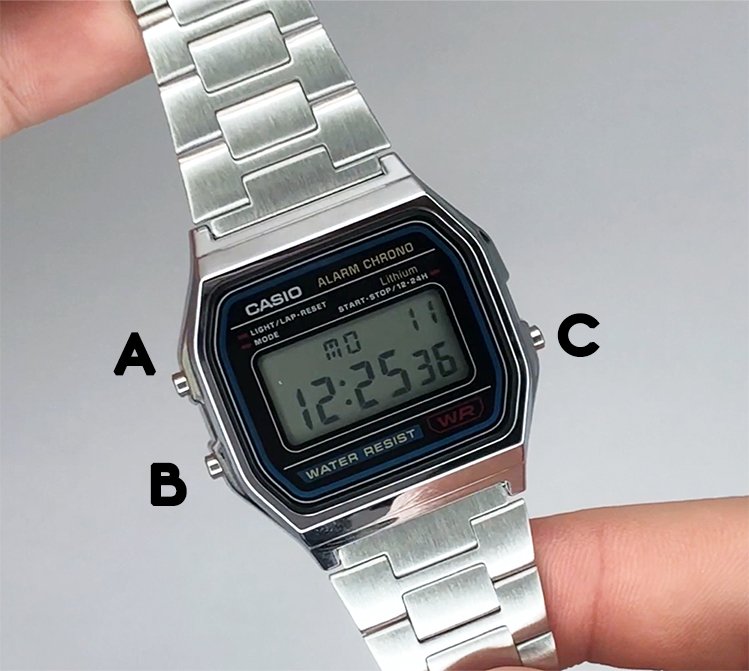
Proper usage means pressing buttons softly, not hard. Do not press buttons underwater unless the watch is waterproof. Avoid pushing many buttons at once to prevent damage.
Storage in a dry place stops moisture build-up. Keep the watch away from strong heat or cold. Use a watch box or soft pouch to protect it from dust and scratches.
Credit: www.watchdepot.com.au
Frequently Asked Questions
How Do I Fix A Stuck Casio Watch Button?
To fix a stuck button, clean around it with a soft brush and alcohol. Press the button gently to loosen it. Avoid forcing it to prevent damage. If it remains stuck, professional repair may be needed.
Why Is My Casio Watch Button Not Responding?
A non-responsive button may be due to dirt or internal damage. Clean the button area first. If cleaning doesn’t help, the internal mechanism might be faulty. In such cases, contact Casio support or a watch repair specialist.
Can I Repair A Casio Watch Button Myself?
Yes, minor button issues like dirt or slight sticking can be fixed at home. Use gentle cleaning and careful pressing. However, avoid opening the watch case unless experienced. For complex repairs, seek professional help.
How To Prevent Casio Watch Button Problems?
Regularly clean your watch, especially around buttons, with a soft cloth. Avoid exposure to water and dust. Press buttons gently and avoid excessive force. Regular maintenance helps keep buttons functioning smoothly.
Conclusion
Fixing a Casio watch button is easier than it seems. Follow the steps carefully and take your time. Small problems often need simple solutions. Cleaning or adjusting the button can bring it back to life. Avoid rushing to replace parts without checking first.
A little patience helps save money and effort. Watch your device closely after repair to ensure it works well. Keep your watch in good condition to prevent future issues. You can handle basic fixes confidently with practice and care.