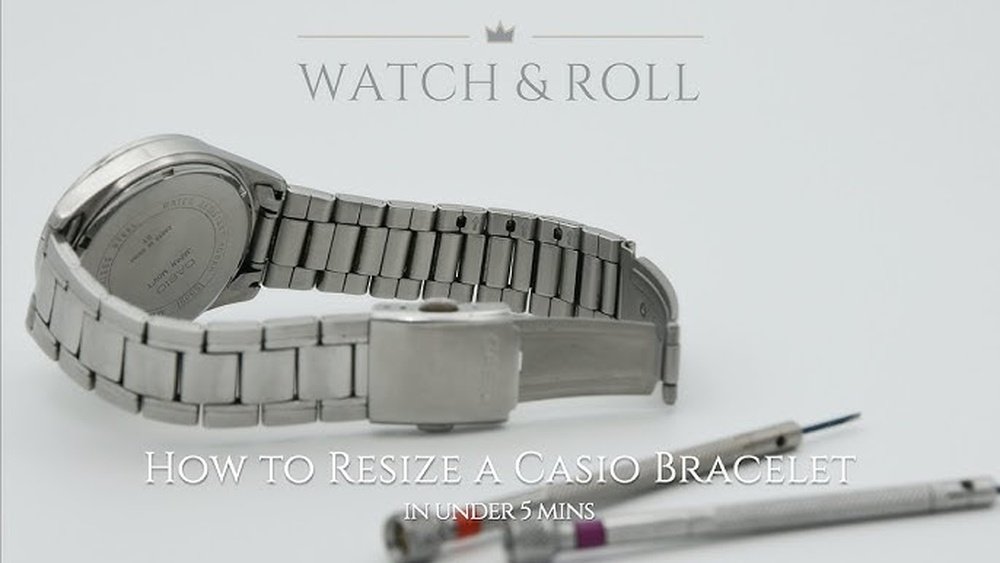
If your Casio Duro bracelet feels too loose or tight, you’re not alone. Getting the perfect fit can make a big difference in comfort and style.
You might think resizing is tricky, but with the right steps, you can do it yourself quickly and safely. You’ll learn exactly how to resize your Casio Duro bracelet without hassle. Keep reading to discover simple tips that save you time and money while making your watch feel just right on your wrist.
Tools Needed For Resizing
To resize a Casio Duro bracelet, you need a few basic tools. A small screwdriver or a pin pusher helps remove pins from the links. A pair of pliers can be useful to pull out pins carefully. You will also need a soft cloth to place the watch on and avoid scratches.
Optional tools include a link removal tool for easier pin extraction. A magnifying glass helps to see small parts clearly. Use a small hammer gently if pins are hard to push out.
Keep all tools handy before starting. It makes the process smooth and safe.
Identifying The Bracelet Type
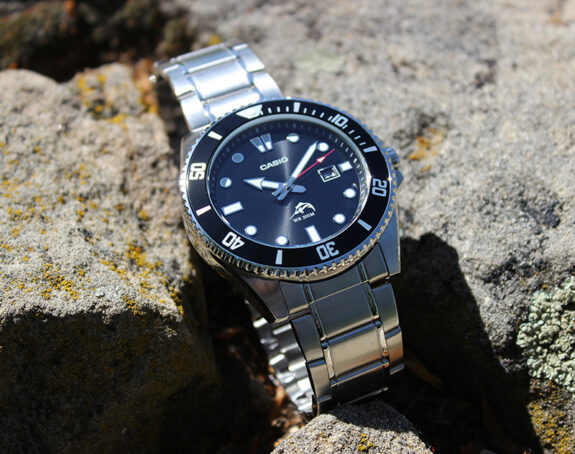
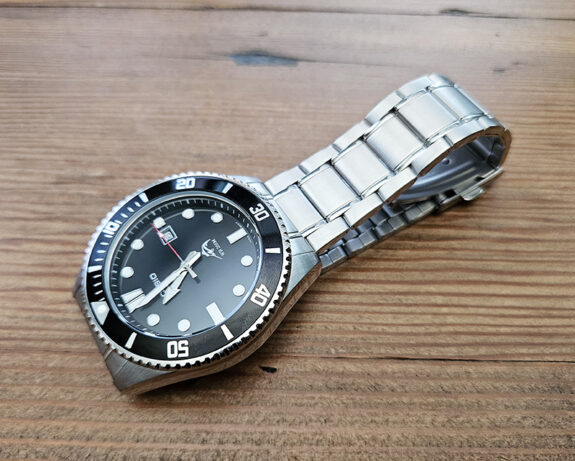
Casio Duro bracelets come in different styles. Some have metal links, while others use a rubber or resin strap. Metal link bracelets have small removable pieces called links. You can take out these links to make the bracelet smaller.
Look closely at your bracelet. If it has tiny pins or screws on the side of the links, it is a metal bracelet. Rubber or resin straps usually have holes and a buckle, like a watch strap.
Knowing the type of bracelet helps choose the right way to resize it. Metal bracelets need link removal. Rubber straps need a different method, like trimming or moving the buckle.
Measuring Your Wrist
Start by using a flexible measuring tape or a piece of string. Wrap it snugly around your wrist, just below the wrist bone. Mark the point where the tape or string meets. If using string, lay it flat and measure with a ruler. This gives you your wrist size in inches or centimeters.
Measure twice for accuracy. Write down the size. Add about half an inch (1.3 cm) for comfort. This extra space helps the bracelet fit well and not feel tight.
Knowing your wrist size helps to remove the right number of links from the Casio Duro bracelet. A well-measured wrist means a better fit and more comfort.
Removing Links Safely
The first step is to find the removable links on the Casio Duro bracelet. These links usually have small arrows on the inside showing the direction to push the pins out. Use a link removal tool or a small pin pusher to gently press the pin in the arrow’s direction.
Work on a flat surface to keep the pins safe and avoid losing them. Push the pin slowly and carefully until it comes out enough to grab with fingers or pliers. Remove the pin completely to detach the link.
Be careful not to use too much force. This helps in avoiding damage to the bracelet or the pins. After removing the needed links, rejoin the bracelet by pushing the pin back in the opposite direction of the arrow.
Adjusting The Clasp
The Casio Duro bracelet usually has two main types of clasps: the fold-over clasp and the push-button clasp. The fold-over clasp has a small latch you lift to open. The push-button clasp opens by pressing buttons on the side. Both are secure and easy to use.
Micro-adjustments help make the bracelet fit just right. Small holes on the clasp let you move the bracelet a little. Use a small tool or pin to shift the spring bar to a different hole. This changes the bracelet length slightly. It adds extra comfort without removing links.

Credit: www.youtube.com
Reassembling The Bracelet
After removing links, start by reattaching them carefully. Align the holes of the links properly. Use a small pin or tool to push the pins back through the links. Make sure the pins are fully inserted to keep the bracelet secure. Check that the links move smoothly but do not come apart.
Next, focus on securing the clasp. Attach the clasp to the last link on the bracelet. Use the pin or screw provided to lock it in place. Test the clasp by opening and closing it a few times. It should stay firmly shut and feel tight.
Testing The Fit
Test the bracelet by wearing it on your wrist. It should feel comfortable without being too loose or tight. The watch must not slide around but still allow easy movement.
Check if the clasp holds securely. A loose clasp can cause the watch to fall off. Try moving your wrist and see if the bracelet stays in place.
Make final adjustments by adding or removing links. Use a small tool to push out pins carefully. Add links if the bracelet feels tight or remove links if it is loose.
After adjusting, wear the watch again to confirm the fit. Repeat the process until the bracelet feels just right.
Credit: dappered.com
Tips For Maintenance
After resizing your Casio Duro bracelet, clean it gently with a soft cloth. Avoid harsh chemicals or abrasive materials. Use mild soap and warm water to remove dirt and sweat. Dry the bracelet completely before wearing it again. This helps keep the metal shiny and prevents rust.
Check the fit regularly to ensure comfort. The bracelet should feel snug but not tight. Too loose can cause it to slip off. Too tight can hurt your wrist or damage the bracelet links. Adjust the size if needed to keep it comfortable all day.
Credit: dappered.com
Frequently Asked Questions
How Do I Resize A Casio Duro Bracelet At Home?
To resize a Casio Duro bracelet, use a small pin tool to remove links. Push pins out carefully, adjust the bracelet length, then reinsert pins securely. This process is simple and requires minimal tools.
What Tools Are Needed To Resize Casio Duro Bracelet?
You need a pin pusher or small screwdriver, a small hammer, and a bracelet holder or block. These tools help remove and reinsert the bracelet pins safely and precisely.
Can I Resize My Casio Duro Bracelet Without Damaging It?
Yes, resizing is safe if done carefully. Use the right tools and apply gentle pressure to avoid scratches or bending. Always work on a soft surface to protect the watch.
How Many Links Should I Remove For Perfect Fit?
Remove links gradually, starting with one or two. Try the bracelet on after each removal to ensure the best fit. Adjustments vary based on wrist size and comfort preference.
Conclusion
Resizing your Casio Duro bracelet is simple and quick. Use the right tools and follow clear steps carefully. Adjusting the links helps the watch fit comfortably on your wrist. Take your time to avoid mistakes or damage. A well-fitted bracelet looks better and feels great all day.
Keep your watch secure and stylish with the right size. Now, enjoy wearing your Casio Duro every day without worry.