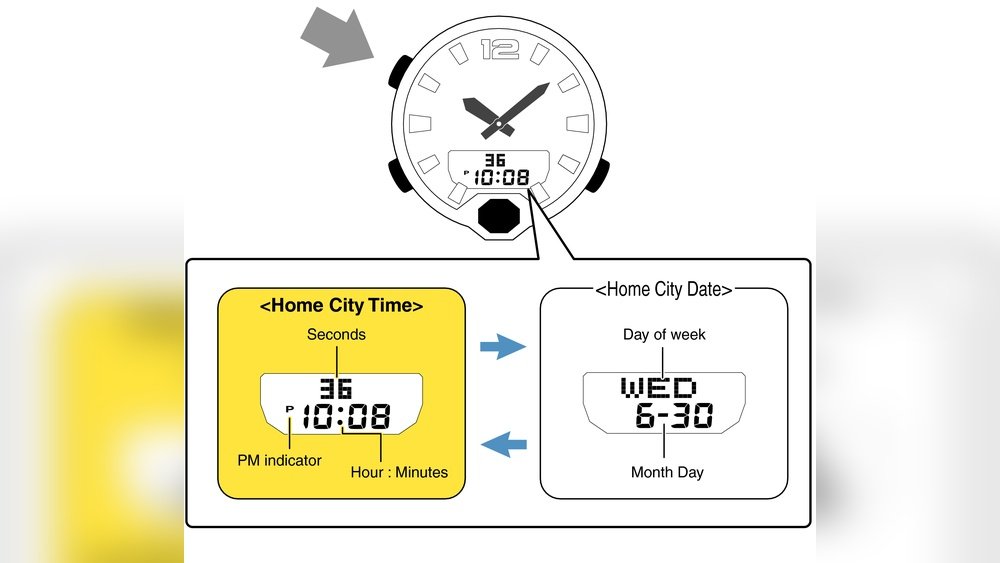
If your Casio Illuminator watch isn’t showing the right time or date, it’s frustrating—and you’re not alone. Resetting your watch might sound tricky, but it’s easier than you think.
In this guide, you’ll get simple, step-by-step instructions to get your watch back on track quickly. Whether you want to fix the time, adjust the alarm, or clear settings, you’ll find everything you need right here. Keep reading, and you’ll have your Casio Illuminator working perfectly in no time.
Credit: www.watchdepot.com.au
Casio Illuminator Watch Features
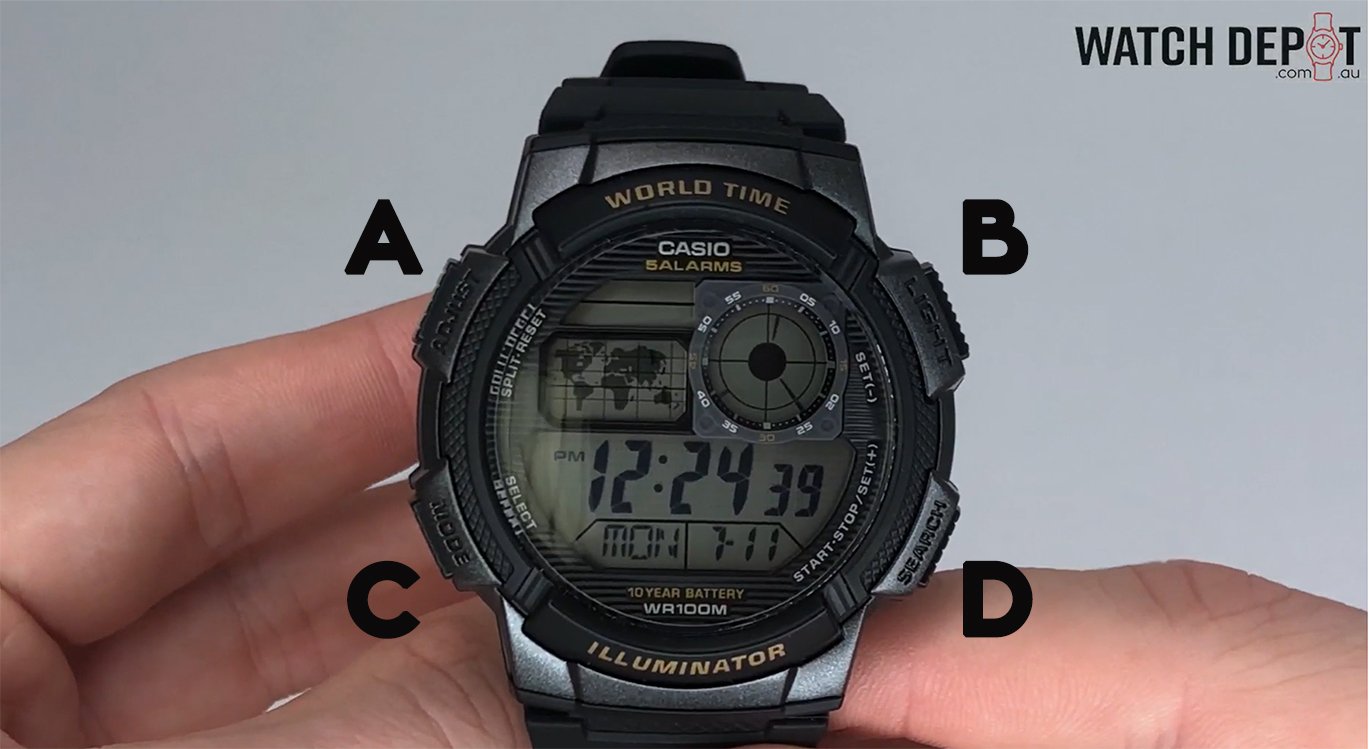
The Casio Illuminator watch has many useful features. It shows time clearly with a bright backlight. The watch has a stopwatch to measure time in seconds. It also has an alarm to remind you of important events. The watch can display the date and day on its screen.
Some common problems with this watch are the buttons not working well or the backlight not turning on. Sometimes, the watch may show the wrong time or freeze. These issues often happen if the watch needs a reset or new battery. Resetting the watch can fix these problems and make it work like new.
When To Reset Your Watch
Signs your Casio Illuminator watch needs a reset include time not updating correctly, buttons not working, or the display flashing. If the watch stops responding or shows wrong settings, a reset can help fix these issues.
Benefits of resetting the watch are restoring correct time, fixing button functions, and clearing errors. A reset can make the watch work like new again without needing repairs. It also helps save battery life by stopping faulty processes.
Preparing For The Reset
Check the model number of your Casio Illuminator watch first. It is usually on the back of the watch case. This helps find the exact reset method for your model.
Gather simple tools like a small pin or toothpick. These help press tiny buttons on the watch. Also, have a clean cloth ready to protect the watch face while you work.
Step-by-step Reset Guide
To perform a soft reset, press and hold the Adjust button until the watch beeps. This clears minor errors and resets the display. The watch will return to the normal timekeeping mode automatically.
A hard reset restores the watch to factory settings. Press and hold the Adjust and Mode buttons together for about 10 seconds. The screen will flash, indicating the reset. Be aware this erases all custom settings.
| Setting | Reset Method | Steps |
|---|---|---|
| Time | Soft Reset | Hold Adjust until beep, then set time manually. |
| Alarm | Hard Reset | Press Adjust + Mode for 10 seconds to clear alarms. |
| Backlight | Soft Reset | Hold Adjust button to refresh light settings. |
Troubleshooting Common Problems
Watch Not Responding: Try pressing and holding the reset button for 5 seconds. If it still does not work, remove the battery carefully and wait for 1 minute before reinserting it. This often solves the problem.
Display Issues: Check if the screen is dirty or wet. Clean it gently with a soft cloth. If the display is faint or missing segments, the battery might be weak. Replace the battery with a new one.
Button Malfunctions: Buttons can get stuck or stop working properly. Press each button several times to free them. If a button feels stuck, clean around it with a dry cloth. Avoid using water or liquid inside the watch.

Credit: www.youtube.com
Tips To Maintain Your Casio Illuminator
Battery care is key for keeping your Casio Illuminator working well. Change the battery before it dies to avoid damage. Use only the right battery type to prevent problems. Store the watch away from strong heat or cold.
Avoiding damage means handling the watch gently. Avoid dropping or hitting it hard. Keep it away from water if it is not water-resistant. Clean the watch regularly with a soft cloth.
Regular maintenance helps the watch last longer. Check the buttons and screen often. Take the watch to a professional for a full check every year. This keeps all parts working smoothly and stops small issues.
Credit: www.kohls.com
Frequently Asked Questions
How Do I Reset My Casio Illuminator Watch?
To reset your Casio Illuminator watch, press and hold the “Adjust” button until the display flashes. Then, use the “Mode” button to select settings and the other buttons to change values. Finally, press “Adjust” again to save and exit reset mode.
Can I Reset Casio Illuminator Without Losing Settings?
No, resetting your Casio Illuminator watch usually restores factory defaults. This action erases all customized settings, including alarms and time adjustments. To avoid this, try adjusting specific functions instead of a full reset.
Why Won’t My Casio Illuminator Watch Reset?
If your Casio Illuminator watch won’t reset, check the battery first. A low or dead battery can prevent resetting. Also, ensure you are holding the correct buttons firmly until the display flashes.
How Often Should I Reset My Casio Illuminator Watch?
You should reset your Casio Illuminator watch only when necessary. Frequent resets are unnecessary and may disrupt your saved settings. Reset mainly after battery changes or if the watch malfunctions.
Conclusion
Resetting your Casio Illuminator watch is simple and quick. Follow the steps carefully for the best results. This process helps keep your watch accurate and working well. Regular resets can fix common issues easily. You don’t need special tools or skills.
Just take your time and be patient. Now, your watch should show the right time and settings. Enjoy using your Casio Illuminator with confidence and ease.