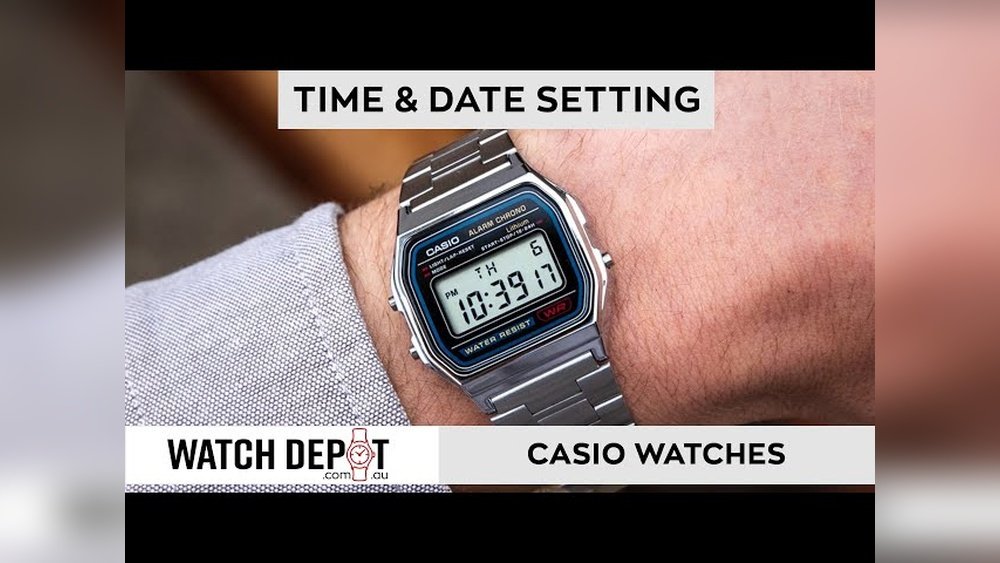
Casio watches are popular for their durability and style. Sometimes, you may need to reset your Casio watch. This guide will help you reset it easily.
Why Do You Need to Reset Your Casio Watch?
There are many reasons to reset your watch:
- The time or date is wrong.
- The watch is not working properly.
- You changed the battery and want to restart the watch.
- You want to return the watch to factory settings.
Resetting can fix small problems and help the watch work well again.

Credit: www.youtube.com
Types of Casio Watches
Casio makes many types of watches. The most common are:
- Digital watches (including standard and G-Shock models)
- Analog-digital watches
- Bluetooth models that connect to your phone
Each type has a slightly different way to reset.
Basic Reset for Digital Casio Watches
This method works for many digital Casio watches, like G-Shock and others.
- Enter Timekeeping Mode: Make sure your watch is showing the main time screen. Usually, press the Mode button until you see the time.
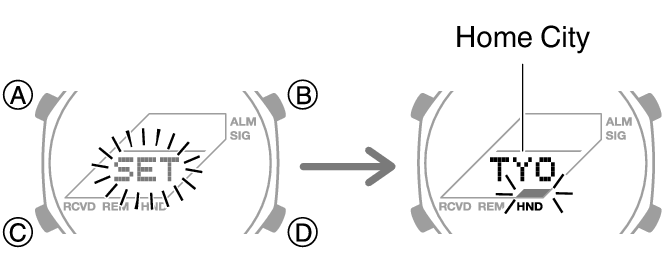
- Hold the Adjust button: Press and hold the Adjust button (often top left) for about 2 seconds. The screen will start flashing. This means you are in setting mode.
- Navigate with Mode: Press the Mode button to move through different settings like seconds, hours, minutes, year, month, and day.
- Reset values: Use the other buttons (usually Start/Stop or Light) to change values or reset them to zero.
- Exit setting mode: Press the Adjust button again to save and exit.
This process resets the time and date settings. It may fix many small issues.
How to Do a Factory Reset on Casio G-Shock Watches
Some G-Shock watches can be fully reset to factory settings. Follow these steps:
- Enter Timekeeping Mode: Press the Mode button until the time screen appears.
- Hold Adjust: Press and hold the Adjust button until the screen flashes.
- Find Reset option: Press Mode until you see “Reset” or “Reset All”.
- Start reset: Press the button usually on the top right (often called Start/Stop) and hold it. The watch will say “Clear All” or similar.
- Confirm reset: Wait until the blinking stops. The watch resets to factory settings.
- Exit: Press Adjust to leave the setting screen.
This clears all settings and returns the watch to its original state.
Resetting Analog Hands on Analog-Digital Casio Watches
Sometimes, the analog hands do not match the digital time. You can reset the hands like this:
- Enter Hand Setting Mode: Hold the Adjust button until the digital time flashes.
- Press Mode: Press Mode button until the hands start moving automatically.
- Adjust hands: Use buttons (usually Start/Stop or Light) to move the hands until they show the correct time.
- Save: Press Adjust to save the hand position.
This will sync the analog hands with the digital display.
After Battery Replacement – How to Perform AC Reset
If you change the battery, your watch may need an AC reset. Here’s how:
- Open the watch back carefully.
- Find the small metal contact marked “AC” inside the watch.
- Using a metal tool or tweezers, touch the “AC” contact and the battery’s negative side at the same time for about 2 seconds.
- The watch will reset and start working again.
This reset helps the watch recognize the new battery.
Credit: support.casio.com
Resetting Casio Bluetooth Models
Bluetooth Casio watches connect to phones. Resetting them will unpair the watch from your phone.
To reset:
- Enter Timekeeping Mode.
- Hold the Adjust button until the screen flashes.
- Press Mode until you find “Reset” or “Bluetooth Reset”.
- Confirm by pressing the Start/Stop button.
- Re-pair your watch with your phone after reset.
Always check the user manual for your exact model.
Important Tips to Remember
- Always know your watch’s model or module number. It is on the back case.
- Follow instructions carefully to avoid mistakes.
- If your watch is waterproof, make sure it is closed properly after battery change.
- Resetting may erase alarms and timers. Set them again if needed.
- Use the official Casio support website for help with your model.
Summary Table: Common Reset Steps for Casio Watches
| Watch Type | Reset Method | Key Buttons | Notes |
|---|---|---|---|
| Digital (Standard & G-Shock) | Hold Adjust until flashing → Use Mode to select → Adjust values → Press Adjust to save | Adjust, Mode, Start/Stop | Resets time and date |
| G-Shock Factory Reset | Hold Adjust → Find Reset → Hold Start/Stop → Confirm clear all | Adjust, Mode, Start/Stop | Restores factory settings |
| Analog-Digital | Enter hand setting → Use buttons to move hands → Save with Adjust | Adjust, Mode, Start/Stop | Syncs analog and digital time |
| Battery Change (AC Reset) | Touch AC contact and battery negative for 2 seconds | Metal tool or tweezers | Resets watch after battery replacement |
| Bluetooth Models | Hold Adjust → Find Bluetooth Reset → Confirm reset | Adjust, Mode, Start/Stop | Unpairs watch from phone |
Final Thoughts
Resetting your Casio watch is simple if you follow the right steps. Take your time and be patient. Each watch model may have small differences.
When in doubt, check your user manual or visit the Casio support website. A properly reset watch will keep accurate time and work well for years.
Now, you know how to reset your Casio watch. Try it yourself and enjoy your watch’s full function.
Frequently Asked Questions
How To Reset Time In A Casio Watch?
To reset time on a Casio watch, enter Timekeeping Mode. Hold the Adjust button until the display flashes. Use Mode to select the time setting. Adjust hours and minutes with buttons, then press Adjust to confirm. For battery reset, touch AC contact briefly.
Check your model’s manual for specifics.
How To Set Time On Casio With 3 Buttons?
Press and hold the Adjust button until the display flashes. Use Mode to select hours or minutes. Press Forward to change the time. Press Adjust to save and exit.
How To Set A 4 Button Casio Watch?
To set a 4-button Casio watch, press and hold the Adjust (A) button until the display flashes. Use Mode (C) to select the setting to change. Press Start/Stop (D) to adjust values. Press Adjust (A) again to save and exit.
How Do I Do A Factory Reset On My Watch?
To factory reset your Casio watch, enter Timekeeping Mode. Hold the Adjust (A) button until the display flashes. Press Mode (C) to find “Reset,” then select “Reset All. ” For battery changes, perform an AC reset by touching the “AC” contact and battery side with tweezers.