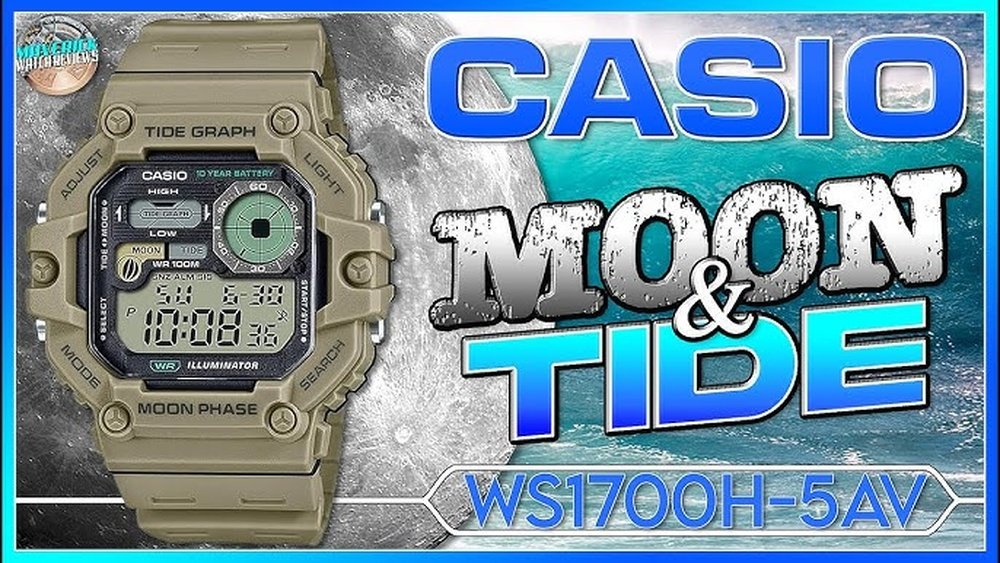
If you love fishing, you know how important it is to track the tides. Your Casio fishing watch can be a powerful tool to help you do just that.
But do you know how to set the tide graph on your watch correctly? Getting this right can make a big difference in planning your fishing trips and catching more fish. You’ll learn simple, step-by-step instructions to set up your tide graph quickly and easily.
Keep reading, and soon you’ll be using your Casio fishing watch like a pro.

Credit: www.youtube.com
Casio Fishing Watch Features
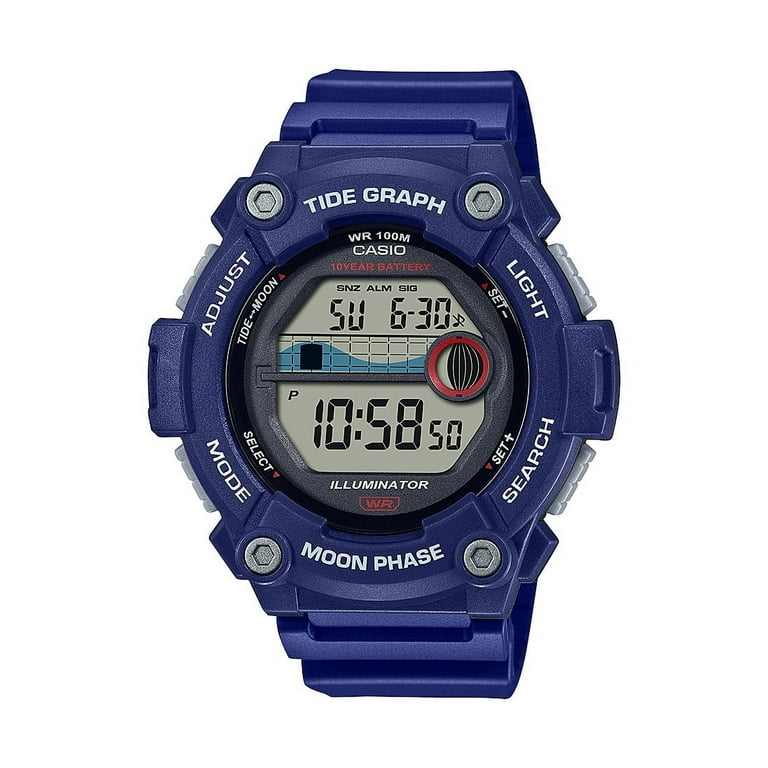
The Tide Graph Function shows the rise and fall of the tide. This helps fishermen know the best times to fish. The graph uses simple bars to display high and low tides. Setting the tide graph is easy and helps plan fishing trips well.
The Moon Phase Indicator shows the current phase of the moon. This is important because the moon affects tides and fish behavior. You can see if it’s a new moon, full moon, or in between. This tool helps choose the best fishing days.
Other useful tools include a digital compass, thermometer, and stopwatch. The compass helps with direction, the thermometer shows water temperature, and the stopwatch times fishing sessions. All these tools make fishing easier and more fun.
Preparing Your Watch
Start by pressing the Mode button until the time screen appears. Use the Adjust button to enter the setting mode. The hour digits will flash first. Use the Forward and Reverse buttons to set the correct hour. Press Mode again to move to minutes. Set the minutes using the same buttons.
For the date, set the year first, then the month, and finally the day. Each time, press Mode to move to the next setting. Make sure the watch shows the correct time zone for your location.
Choose the right mode by pressing the Mode button to cycle through options. Stop when you see Tide Graph mode. This mode helps you see the tide levels for fishing times. Now, the watch is ready to set the tide data.
Setting The Tide Graph
Start by pressing the mode button to find the tide graph setting. Use the arrow buttons to select your location. Choose the place closest to your fishing spot for accurate tide data.
Next, adjust the tide data using the up and down buttons. Set the high tide time and the lunar day. This helps the watch show correct tide information.
After setting the location and tide data, press the mode button again to save the settings. Your Casio fishing watch will now show the tide graph based on your input. Check the display to confirm the graph is working.
Credit: www.walmart.com
Checking The Tide Graph
The tide graph on the Casio fishing watch shows water levels throughout the day. Look at the high and low points on the graph to know the best fishing times. High tide means the water is at its peak. Low tide means the water is at its lowest.
The watch also shows moon phases. The moon affects the tides. A full moon or new moon causes higher tides. These are called spring tides. When the moon is half full, the tides are lower. These are called neap tides.
Reading the graph and moon phases helps plan fishing trips. It shows when fish are more likely to be active near the shore.
Tips For Accurate Tide Tracking
Keep your watch’s location setting updated for the best tide info. Tide patterns change by place. Changing locations on the watch helps track tides accurately. Check your position before fishing trips or when moving to new spots.
Sync the watch with local tide charts often. These charts show the real tide times in your area. Use them to correct any small errors in the watch’s tide graph. This practice keeps your fishing plans on point.
Regular updates and syncing make the tide graph more reliable. It helps you know the best fishing times with confidence. Simple steps like these improve your tide tracking experience.

Credit: www.casio.com
Troubleshooting Common Issues
Tide graph not showing right? Try resetting the watch first. Hold down the reset button for a few seconds. This can clear small errors that stop the tide graph from working.
After reset, set the watch time and date again. Make sure you enter your correct location for accurate tide data. Check if the watch is in the right mode to show the tide graph.
If the problem stays, remove the battery for a minute. Then, put it back and reset the watch again. This helps if the watch memory has glitches.
Still no tide graph? Contact Casio support for more help.
Frequently Asked Questions
How Do I Set The Tide Graph On A Casio Fishing Watch?
To set the tide graph, enter the watch’s tide mode. Input your location’s longitude, latitude, and the current date. This data helps the watch calculate accurate tide times and levels for your area.
Can I Adjust The Tide Graph For Different Locations?
Yes, you can change the location by updating longitude and latitude settings. This ensures the tide graph matches local tidal patterns for any fishing spot worldwide.
What Is The Importance Of Setting The Tide Graph Correctly?
Accurate tide graph settings help predict high and low tides. This information is crucial for planning fishing trips and maximizing catch success.
How Often Should I Update The Tide Graph Data?
Update the tide graph data when traveling to a new location or after daylight saving changes. This keeps the tide information precise and reliable.
Conclusion
Setting the tide graph on your Casio fishing watch helps you track tides easily. You can plan your fishing trips better and stay safe near the water. The steps are simple and take only a few minutes. Remember to check your location and time settings before adjusting the tide graph.
With practice, you will do it faster. Use the tide graph to enjoy your fishing trips more. It keeps you informed and ready for changing water conditions. Try setting it today and see the difference it makes.